Der Schmale – David Lenaerts’s blog

Flash Platform Experiments

More Stok3d: Parallax mapping & Water shading

Tags: , , , , , , , , ,

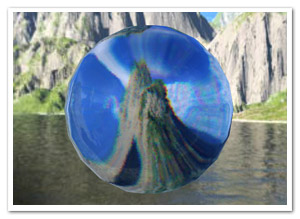
waterToday’s update on Stok3d is perhaps not as useful as the previous post, but I certainly had fun working on it. Or as we say in Dutch with a word blatantly stolen from German: it’s “spielerei”.

Demos:

I’m going to post the demos first this time. Saves you some scrolling effort, because the explanations below are rather boring ;)

  • Parallax Mapping : Move and turn towards the edges of the screen to see the extrusion of the texture best. A PhongFilter is added as a second filter, making it slower but the effect becomes more obvious.
  • Water Shading 1 – Ocean : Reflects or refracts light depending on the view angle and the surface relief. It animates a perlin noise filter to generate a water heightmap.
  • Water Shading 2 – Ripples : Same thing, but with a simple drawn ripple effect. The difference between refracted and reflected light is more obvious here.

Edit: Even if you have Flash Player 10, you still might get an update request. That is because these demos require the version of 10.0.22 concerning recent Pixel Bender bugfixes.

The source code for these demos can also be found on Google Code.

Useful updates

Some updates I did involved some bugfixes and performance-related updates. I also added a NormalMapUtil class, which provides a basic API to generate and manipulate normal maps. The main features are the generateFromHeightmap and drawFromHeightmap methods. Since height maps (or bump maps) are generally easier to come by (and to make), these methods generate a normal map for you. generateFromHeightMap creates a new BitmapData, drawFromHeightMap uses an existing BitmapData that you provide (useful if you need to generate one on every frame). The NormalMapUtil class furthermore allows you to invert the components of the normals, in case a normal map reflects the light in the wrong directions.

Water Shading

A new shader filter that was added is the WaterShadingFilter. If you remember your high school physics, depending on the view angle, the surface either reflects the light or lets it pass through and refracts it (which is called the fresnel effect).  To put it simply, when looking at water at a shallow angle, it seems like a very reflective surface, but when looking straight down into it, you can see through it but it’s a distorted view. The reflection uses a combination of environment mapping and phong shading, while the refraction is a simple displacement mapping technique. The DisplayObject to which the filter is applied is used as what’s underneath the surface, ie: the refracted light. The ripples seen in the demo are not made by the filter, but are custom written to manipulate the normal map.

Parallax Mapping

Another new filter is the ParallaxFilter, which performs (you guessed it) parallax mapping. It’s a technique like bump and normal mapping, in the sense that it tries to give more depth to a 2D texture. It does so by displacing texture coordinates based on a height map and view direction to the coordinate that it would normally have in 3D space. This causes the texture to look extruded and more detailed. For more (and better) information, check the article on wikipedia. Stok3d implements an iterative variation. It’s a bit slower but takes care of overlap issues and can handle sharp edges.

That’s it! For now, it’s back to Farbe, and… some other things :)

Leave a comment (14 comments)

Spice up your postcard 3D with environment mapping

Tags: , , , , ,

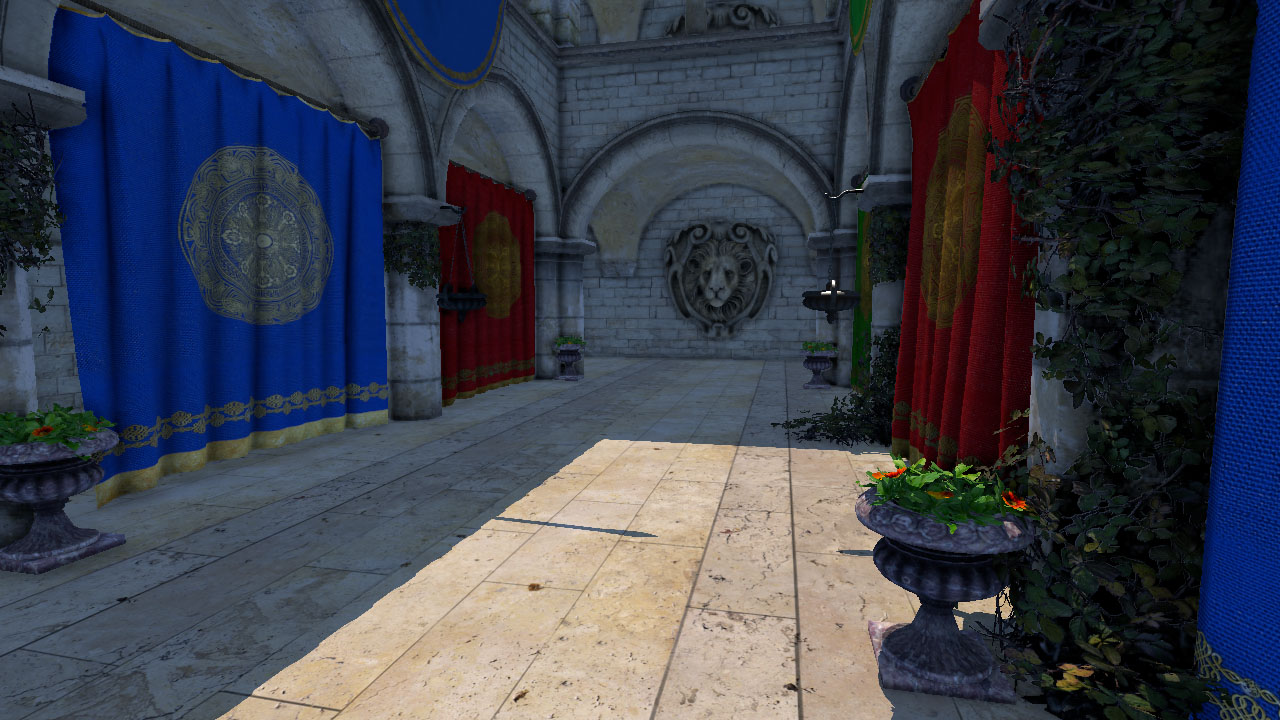
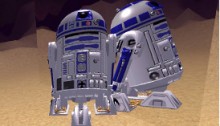
envmapSince Flash Player 10 introduced native 3D functionality, the world of “postcard 3D” rejoiced as doing simple 3D tasks became much easier… Just as long as it did not involve z-sorting or shading effects.

The z-sorting has been tackled before, and here’s an attempt at implementing the second idea. Partly out of boredom and partly because I needed it as a first step towards another experiment, I created a simple cubic environment map effect, just in case you’d want your surfaces to be reflective. The filter itself is using Pixel Bender – what a surprise!

There’s some other possibilities I’m thinking of (phong shading for example), but it’d be good to know if there actually is any interest in stuff like this. I don’t want to be wasting my time either ;)

Cubic Environment Maps

Environment mapping is essentially a fake but relatively fast way to give the illusion of surface reflection. There are two common approaches: spherical and cubic mapping. The first maps the environment texture surrounding the scene on a sphere before mapping it onto the surface, the latter does it using a cube. Spherical mapping is usually faster and easier to use (it only requires 1 or 2 textures instead of one for every face of the cube), but sadly it doesn’t look very natural on a flat surface. Cubic mapping, on the other hand, looks better and is more commonly used these days. For more information, check this article on wikipedia.

So what do you need? Basically, you need to find a cube map and divide it up into 6 seperate images as illustrated below. You can assign these images to the EnvMapFilter class constructor.

cubemapWhen changing the surface position, scale or rotation, be sure to call the update method and reassign the filter to the target DisplayObject. All this is shown in the source.

Normal maps

It’s not a requirement, but if you want, you can assign a normal map to the filter. For every pixel, normal maps indicate the slope of the surface at any point and cause the reflections to be distorted. This gives the surface the appearance of having relief. A quick search on google or some texture libraries should yield plenty of them :)

Blabla yeah whatever!

Okay okay, enough chatter.

  • Demo – just follow the instructions (FP10.0.22 required, so you might get an upgrade request)
  • Source

Enjoy!

Leave a comment (7 comments)

Return of the ripples! Shallow water simulation with Pixel Bender.

Tags: , , , , , , , ,

shallowwater

When looking at my blog stats, the most popular post by far is the old Ripple effect I did some time ago, which was based on an old demoscene trick. For a while, I’ve wanted to do a more physically correct version based on shallow water equations. Since the watercolour effect I did was based on a similar variation (as well as the image bleeding in the previous post), I decided to throw together a quick test to see if it could be turned into a new iteration of the old ripple effect. It’s mainly done for sake of experimentation, and if you really want a ripple effect I suggest using the prior one. Although the dynamics are more interesting, this one is slower, but I’m pretty happy with the performance considering the amount of calculations and the grid size (the demo has a grid of 200×200).

  • Demo
  • Source – There’s a few parameters to play around with, but take care: the simulation might just blow up with extreme settings ;)

Some day I might try out a sim with the real shallow water equations, just in case you haven’t gotten violently sick from all the fluid simulations lately (I haven’t, as seems) :D

Leave a comment (32 comments)

Image bleeding with water (Flash + PixelBender)

Tags: , , , , , , ,

Image BleedingThe last 2 months, I’ve been investing 99% of my free time into the next iteration of Farbe, turning it into a real Flex-based image editing tool simulating natural media. Although there’s nothing of the application itself that I can show yet, today I created another small proof of concept for it that I can make public.

One of the things lacking in the watercolour POC was that once a brush stroke was made, nothing could be done with it. I thought it’d be nice to still be able to add water once the paint was rendered and have the colours bleed out. Using much of the same physics as for the watercolours, I figured out an algorithm that was both adequate in speed (real-time) as visually effective enough to water down the image. As usual, much Pixel Bender was used. The multi-threaded nature of ShaderJob really proved its worth in this case. You can keep adding water without the simulation slowing down the interaction, even if the simulation itself gets slow when there’s a lot of wet areas to cover.

To get the most realistic results, settings such as “ink speed” and “water amount” should be kept low while slowly rubbing over the image. Higher levels are not natural and will look caricatural (reminding me of Kai’s Power Tools of old! ;) ).

So check it out! :)

Note that, even tho Farbe is not an open source project (or not yet at least), I’m providing the source for this POC – consider it a late Easter present ;) But do remember, it IS poc-style code!

In closing, I’ll leave you with a few updates on Farbe. First of all, the watercolour paint is quite a bit faster (unless, of course, you’re working on much bigger canvas sizes than the cheaply upscaled old version) and so far it seems it’s pretty bug free! Secondly, I recently finished a pencil and eraser tool which are looking alright. The rest of the time has been spent mainly on the user interface and typical paint tool functionality. I’m starting to feel quite overworked at the moment, but the app is shaping up so it’s worth it! I hope I’ll be able to give out some more tangible updates on all that soon :)

Leave a comment (8 comments)

Flash watercolour simulation (using PixelBender)

Tags: , , , , , , , , , ,

farbe-watercolour

Something I’ve been thinking about doing for a long time is imitating real artistic media, in particular watercolours. Not because I’m an avid watercolour painter (last time I’ve touched them was in kindergarten), but because I think it’s an interesting dynamic. Since it is mainly fluid dynamics, the idea resurfaced after my previous fluid sims. And luckily, with Pixel Bender, I can finally do this kind of thing! This paper by Cassidy J. Curtis et al was great, tho it also caused me to loose some time figuring out some errors. Finally I came up with something, dubbed Farbe (simply German for ‘colour’). One thing I dropped was the interaction between different strokes, because that would kill the cpu easily enough.

For a change, there’s no source of this, and for a few reasons. First of all, it’s a mess and needs to be optimized. Apart from that, I might just add on to this before I release anything (hence the project name ‘Farbe’).

The picture on the left is my poor imitation of Joan Miró’s Barcelona ‘92 poster (Strepie, this one’s for you ;) ), so ignore that and create your own :)

See Farbe in action

Leave a comment (21 comments)

HDR Lighting in FP10 (+ Away3D)

Tags: , , , , , , ,

hdrIf you’ve played any video games the past few years, you’ve definately seen the HDR (High Dynamic Range) effect. Creating a more brilliant colour spectrum, it’s both popular in photography and 3D rendering. In games it typically enhances the brighter areas and makes light spill over into darker areas (the so called light blooming effect). Using some settings, it can also create a more blurry atmospheric surrounding. Being a big game fan (or rather gfx-fetishist), it’s an effect I’ve always wanted to do. Using a tiny Pixel Bender kernel and some Flash filters, I came up with this.

A demo showing the effect and its parameters on a simple image can be seen here: Demo | Source .

But let’s face it, when doing HDR, we want it in 3D ;)  Rob Bateman kindly gave me permission to use his shader demo for Away3D (a 3D engine I’m growing more and more fond of). This demo in particular suited the use of HDR perfectly, so many thanks! I just added the HDRContainer class to the stage, setting the View3D as the target, and voila!

See HDR in Away3D (compare with the original to see the difference)

No source for that one tho, as 1) it’s not my demo (apart from 2 extra lines of code), and 2) it’s pretty much the same as the first demo :)

It should be similar to use the effect on any DisplayObject, for that matter: pass it through to the HDRContainer’s constructor and add the HDRContainer to the stage.

Leave a comment (19 comments)

Smoke/fluids simulation using Pixel Bender – part III

Tags: , , , , , , , ,

smoke-v3The third pass at smoke/fluids simulation again looks quite different from the previous two attempts, but this time it’s stable both when keeping still as while moving. Not surprisingly, as the current approach is more like Stam’s fluid solver. The downside is that it’s much less processor-friendly: every new step (adding forces, diffusion, advection, updating boundaries, …) needs the previous step to be completed over the entire velocity or pressure field. As a result, this simulation is using 9 different Pixel Bender kernels. In total, 49 pixel bender filters are executed per frame, some more intense as others, along with some BitmapData methods. Consequently, the grid size needs to be scaled down a lot  (64×128 in the example). All in all, I’m still surprised that it doesn’t slow down to a crawl!

The FluidBitmap class has some properties such as timeStep, buoyancy and viscosity, which can influence the look and tempo of the fluid, but can affect the stability of the solver due to precision errors using BitmapData. There is support for forces, encoded in a BitmapData, similar to the velocity field (red = x, green = y). Maybe some day, I’ll make working with these forces a bit easier, but for now I’ll focus on other things than fluids ;)  

The demo – A smoke simulation using positive buoyancy. Click to show the red and green channels representing the velocity field.

The source

Oh, and a happy new year! :)

Leave a comment (18 comments)

Smoke dynamics in Pixel Bender – part II

Tags: , , ,

Last time, the results of simulating smoke were a bit instable and the visual result was a bit bland. Since then, I’ve been irked constantly by spotting smoke everywhere in the – real – world. And sadly, I have to admit I’m a smoker, so there’s no escape from that! :D So back to research! Stam’s work proved a great inspiration, but his approach needed about 20 iterations over both the density and velocity field. When using BitmapData, you might as well give up right there. Trying something quite different, I decided to combine this approach (I knew I made that blog post for a reason!) on these equations. More or less; I took some “artistic license” (which is a euphimism for not knowing my physics properly :D ) . The result is something that looks quite horrible when keeping the smoke source in the same position, but it’s much more interesting when moving it about.

Demo and source (proof of concept style, beware!)

Still not exactly there yet, so the quest continues!

Leave a comment (1 comment)

(fake) 2D parallax mapping… will burn your cpu

Tags: , , , , ,

When Alternativa3D showed some demos with their parallax mapping, I always thought it’d be interesting to try it myself without having to resort to PixelBender.

Well, I did, and I wasn’t happy how some things turned out. There was no overlap of objects, and sharp edges would come out looking odd or distorted. Then, taking another look at their demo, I noticed they conveniently used slanted or smooth edges all the time without any possible overlap.

Reading up on some stuff, I decided to make the process iteratable, and liked it much better already. There are some downsides… Most importantly, it’s a cpu-killer and still pretty flawed compared to the real thing (which is a pixel shader). Nonetheless, it was fun to figure out and code, and that’s pretty much the reason why I decided to post it ;)

Oh, and I also rewrote the Bump Map from some time ago, since I needed it to make this demo a bit cooler overall. The code back then was a quick experiment; not exactly a beauty nor reusable whatsoever, which has been taken care of to some extent. Additionally, the lightmaps now support colours and you could just as well write your own.

Check out the demo here and the source here. The images used came from here.

Leave a comment (16 comments)

Water ripples revisited (AS3-only version)

Tags: ,

I’ve been thinking of changing my previous Pixel Bender water filter to an AS3-only version for some time (since FP10 is still in beta), but never got around to it. Until trusty old Nascom told me we might perhaps use it in a project. So here it is, added to the NascomASLib and ready for you to use :) I added some functionality so the appearance of the ripples can be altered. Overall, I’m quite happy with the performance, especially since it runs smoother with bigger ripples (and usually looks better too ;) ).

So enjoy the demo, and check the source here.

Leave a comment (153 comments)

© 2009 Der Schmale – David Lenaerts’s blog. All Rights Reserved.

This blog is powered by Wordpress and Magatheme by Bryan Helmig.