 Today, we’re happy to announce the release of Away3D 2.5.0 and 3.5.0. Along with other features and changes, of which you can read more in the official announcement, it contains the new BSP/PVS support! I’ve slaved months on this, so I’m glad it’s finally made public! Keep in mind that we’re always improving it, so it’ll only get better from here :-) So what’re all these abbreviations about?
(Warning: a long-winded post ahead. If you’re not interested in the details, stick to the official announcement!)
Binary Space Partitioning
BSP is a scene graph that divides a static scene up by splitting it recursively along planes into two half-spaces. If after splitting, the geometry in that subspace is convex, no further subdivisions are needed. In the end, we have a binary tree containing convex meshes at the leaves. What’s the use, you may ask? Well, since all the parts are convex, we don’t need to do any per-triangle sorting. By correctly traversing the tree and rendering the parts in the right order, the sorting is faster AND 100% correct. Specifically for Flash 3D, that means we don’t need to subdivide triangles to try and resolve z-fighting. Furthermore, it also greatly speeds up frustum culling and collision detection. This only works for static scenes however. There are dynamic bsp trees, but they don’t support the biggest speed-up, being the PVS.
Binary Space Partitioning on Wikipedia
The Potentially Visible Set
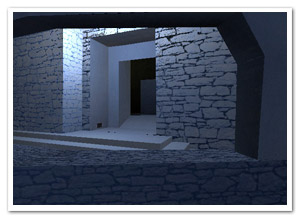 When we have a static BSP, we can use this data to determine which leaf nodes are visible from any given leaf node. This dataset is called the PVS (Potentially Visible Set). It allows us to prevent most of the occluded geometry from being rendered (which, usually, is most of the total geometry). Needless to say, this can lead to huge speed improvements. It’s the same technique games such as Quake, Half-Life, Unreal, … used. However, this speed improvement comes at a price (or what did you think? :) ), which is explained in the “Building” section of this post.
This little bastard was a pain to do. It’s the reason days turned to months of my evenings to get right, and I definitely couldn’t have done it without the help from this thesis: View Space Linking, Solid Node Compression and Binary Space Partitioning for Visibility Determination in 3D Walk-Throughs by Joel Anderson. Also, props to Joa for giving me some optimization tricks and food for thought!
Potentially Visible Set on Wikipedia
Building
Fabrice did a great job implementing the BSP/PVS builder into Prefab3D, so you can bake your lighting and generate the BSP/PVS as AWData in one programme. When compiling a model with PVS, there’s some guidelines you should keep in mind. No, let’s call them rules instead. Not obeying these could result in the build getting stuck, poor collision detection, or some random unpredictable results.
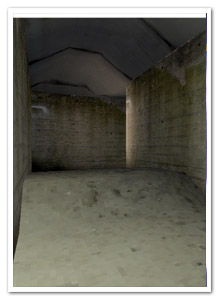 Your model must be completely “sealed”. No leaks into “nothingness”! This is important because the PVS would try to find visible data from that leak and get stuck.
- Work on a grid. Make sure your vertices are snapped to a grid which is not too coarse. If not, the BSP splitting could create triangles that are too small, causing havoc in the form of floating point errors, too small triangles, inefficient splits, etc…
- Try to occlude a lot. Don’t make too much geometry visible from any part of the model. This speeds up the model during rendering as well as the PVS build.
- Axis-aligned walls/ceilings/floors work best. They’re fast to do calculations on and if you model somewhat smartly, they form a better “space splitter”.
- Sometimes it’s good to keep small details out of the BSP geometry, and add them using the regular addChild method as this keeps the trees cleaner and more efficient.
Finally, there’s a LOT of settings, but you should probably not have to mess too much with them unless you really know what you’re doing. Soon, we’ll have some proper tutorials explaining the nitty-gritty of building (and we might have some other tools to make things easier on you).
Check the video showing a build in action!
Demos
- The Hacienda Experiment (Beta): Fabrice and I created this for Adobe’s keynote at FITC Amsterdam in a very limited amount of time, before the BSP functionality was even finished. Lots of stress and insecurities, building the AWData exporter, etc. So, forgive us if there’s still some bugs in this version ;-) (If you get stuck, jumping out using the space bar usually does the trick ;-) )
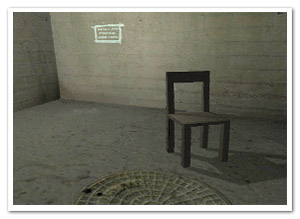
- Bunker Demo: Made by Fabrice to illustrate how easy it is to export BSP/PVS data from Prefab3D (see video mentioned before). It also shows how fast it can run with good occlusion. (Check the source)
Thanks for sticking around for such a long post, but hey, with the amount of work gone into this, I reserve the right to bore you to death with it! ;-)


hey david, as long as your post is dealing with that kind of amazing stuff there shouldn´t be any bored people!
fantastic stuff as usual!
cheers
-frank
Cool stuff, the performance is good.
There seems to be a bug with the motion controller in the demos though: every time your press the right arrow, the turning speed increases. Events piling up?
Pingback: infinite turtles » Blog Archive » Away3D 2.5.0 & 3.5.0 released
David, сongratulations
Great work :)
The demo runs smooth and I did not notice to many bsp splitting artifacts.
So is the only way to use this is via a prefab export at the moment? Are there any plans for the away3D engine to perform this bsp build on loaded models (obj ,3ds) at runtime?
Thanks all!
Sharvey: Hmm, I can’t reproduce that behaviour, but I’ll look into it!
Ian: Actually, no, you could build it at runtime as it is, using the BSPBuilder class as an entry point. But the question is, would you want to? :-) BSP and (especially) PVS builds can take a notoriously long time depending on the model. So I’d recommend using that only for BSP-only on smaller models.
amaizing!
Pingback: Tweet Tank Away3D and Hype a virtual fish tank populated with Twitter Results and the Code.
Could you clarify what you mean by “…your model must be completely sealed”…
Dimumurray: It’s a bit hard to explain, but it’s the same for most systems using a pvs. Check out the info on leaks on the Valve Dev Community: http://developer.valvesoftware.com/wiki/Leak
Hello, I am building a 3D scene using away3d. I am using .obj file format to load the models. Can you provide a tutorial on how to use the BSP feature without using prefab3d and using .obj models?
Elie: I don’t recommend it (it can take a while and you’d have to wait on every load), but here’s a quick rundown of how it’d work:
1) Load your obj as usual
2) Create a BSP tree builder by calling BSPBuilder.generateBuilder(…); with the options you like (it’ll return an object of type IBSPBuilder)
3) setup listeners on the returned builder (see class BSPBuildEvent)
4) call builder.build(mesh.geometry.faces);
5) on build complete: add the tree (builder.tree) to the stage using the usual addChild();
For multiple meshes, you’ll first have to “bake” their transformations in the vertices and place the faces in one array before passing them to the builder.
Ok, so I think I will use Prefab to do it. It seems simpler. But is there a way to change my models format from .obj to .awd?
You can simply import the obj in prefab. When building the bsp tree, it’ll generate the awd for you.
Hey,
I was just searching my name on the web and noticed that you used my thesis to figure out the BSP stuff. When I was learning the stuff, I found it particularly difficult to find information about this subject… so I’m glad it was helpful.
Hi,
Q1:
I download the source and tried to play from flex/flash develop or Flash CS5, but its showing blank screen.
I don’t have swc of away3d so I am using as files of 3.6 version.
Q2:
I am getting error (Build canceled Error location rendered in scene) when I tried to build awd project file to my 3ds model in prefeb.
Could u plz. help out to me.
Could u please provide the following swc’s?
1) /as3dmod/bin/as3dmod.swc
2) /away3d_fp10/bin/away3d_fp10.swc
Pingback: Totally stok3d (Teil 2) | webmagazin