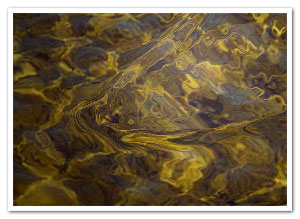
I’ve been thinking of changing my previous Pixel Bender water filter to an AS3-only version for some time (since FP10 is still in beta), but never got around to it. Until trusty old Nascom told me we might perhaps use it in a project. So here it is, added to the NascomASLib and ready for you to use
I added some functionality so the appearance of the ripples can be altered. Overall, I’m quite happy with the performance, especially since it runs smoother with bigger ripples (and usually looks better too
).
- Author: David
- Published: Aug 3rd, 2008
- Category: Actionscript
- Comments: 151


sakri
on Aug 4th, 2008
@ 9:29 am:
Damn that’s hott! or wait, damn that’s wett?! Runs super smooth, thumbsup!
Clay
on Aug 5th, 2008
@ 7:25 am:
Hi David,
I love the water ripples! It looks fantastic. I noticed in the demo that it produces some anomalies with the image. There’s a thin strip at the bottom poking out seemingly unaffected by the ripple effect. Also, the top and right side seem to be framed with other parts of the image, but still affected by the ripples. I’ve tried it myself with different images of various sizes and the same thing happens. Is there a fix for this?
Even with the anomalies it is incredibly impressive…Great Work!!!
Kind Regards,
Clay
David
on Aug 5th, 2008
@ 10:05 am:
Thanks Clay,
Yup, that’s right. The thin strip at the bottom is, or so I suspect, a result of the scaling parameter, which I should fix asap. The other problem (the offset at the top and left) is because, at the moment, a displacement map is used to deform the image, with minimal value being black. The latter should be an easy fix, and I’ll commit it as soon as possible, for now I haven’t really had the time to take care of it
Cheers,
David
EDIT: Alright, I took some time out for this, and now the anomalies are fixed
fe.silverio
on Aug 29th, 2008
@ 10:05 pm:
very very very fantastic XD XD XD thanks for the source XD
M Alex
on Sep 16th, 2008
@ 4:48 pm:
Incredible piece of work, I’ve been searching for something like this for a few days now. I would just love it if you could tell me how to use it though. I tried almost everything and got errors like ” Instantiation attempted on a non-constructor” (i am a noobie, i know) and when i linked it with the Ripple class it kept changing the linkage to flash.display.BitmapData. A few lines on how to use would be great.
10x a million i’ll keep on trin to get it to work.
M Alex
on Sep 16th, 2008
@ 5:50 pm:
I eventualy managed to instantiate the class “Rippler” on a movieclip and got it to “drawRipple” on every mouse move but it’s nowhere near as fast as the “Ripple class” as i suppose it is with your demo. On top of that my movieclip is moved to right and bottom by the Size of the ripple and that creates two white lines, i hope you can help me out.
David
on Sep 16th, 2008
@ 6:51 pm:
Hi M Alex, and thanks
Did you check the source ( http://www.derschmale.com/demo/rippler/srcview/ ) of this example? It’s using some Flex Builder meta-code, but it should work by just creating rippler = new Rippler(targetDisplayObject, strength, scale); and then using the drawRipple function. In any case, it’s not meant to be extended by library assets, but instead those are passed to the Rippler constructor.
Internally, it’s using a convolution filter to create the ripple buffer images, which in turn is used as a DisplacementMap filter on the target display object. The speed of the Rippler class depends largely on the size of the source display object and the scale passed to the constructor (higher values actually use smaller ripple buffers for the convolution filter, and are therefore faster).
I hope this helps, otherwise be sure to let me know. I’ll be glad to help you out; there’s a contact page in the Pages navigation menu, where you can send me a PM if you need to show an example or so.
M Alex
on Sep 16th, 2008
@ 9:37 pm:
Not only the class is great but the fact that there are people willing to help you understand more about programming in general still astounds me. There are thousands of people offering this for some sums of money but still there are great men in this large world wide web.
Thanks again David.
Fatche
on Sep 19th, 2008
@ 6:06 pm:
Hi,
first of, congrats, this looks great!
But I do have the same issues as Clay, I notice that you said it’s been fixed, but I just tried it out and it seems that the strength is directly connect to this weird offset…is the source available the updated version? Or better yet, what did you do to fix this?
Thanks for the source btw man
David
on Sep 19th, 2008
@ 6:10 pm:
Hey Fatche,
You’re welcome
). So now, if you view the source again and use that Rippler.as class, the offset issue -should- be fixed.
The updates were only made in the svn repository of the NascomASLib (I just noticed today that it was still the old version in the source view, actually, uncanny!
Cheers,
David
Fatche
on Sep 19th, 2008
@ 6:46 pm:
sorry mate, I don’t think it’s fixed yet…I know it’s directly connect to the DisplacementMapFilter, so I set the mode to “color” and it worked, there are no clippings on the image, but it does get an offset equivalent to the strength parameter… if you can find a better solution, I’m all ears man!
David
on Sep 19th, 2008
@ 8:00 pm:
Hi, I just tested the version currently in the source view and it works without any offset. Are you sure you replaced the Rippler.as file in the be.nascom.flash.graphics package (not Ripple.as)? There should be a _colourTransform property which is the solution to the offset problem. Or if it’s still not working, it’d be glad to look at your code so I can try and fix the ripples
Fatche
on Sep 19th, 2008
@ 9:25 pm:
Bloody right! The file wasn’t updated, just checked it out from the repository, it’s all fine and dandy
sorry to bother you mate,
keep up the good work!
Amit
on Sep 23rd, 2008
@ 1:04 pm:
Hi David,
I’m very new to flash world and action script is greek to me. I have one (could be annoying) request. Would it be possible for you to guide me how to it?, in simple words
Thank you for your time in advance
cheers
David
on Sep 23rd, 2008
@ 1:24 pm:
Hi Amit,
I’m not sure if I understand correctly what you need exactly. Do you mean guide you through how to implement the Rippler class (that I can do
), or ActionScript in general. In the latter case, I’d simply suggest Essential ActionScript 3.0 by Colin Moock (published by O’Reilly), since the scope is far too great and I wouldn’t have time for that.
Troy
on Sep 24th, 2008
@ 10:48 am:
Very cool. Really like the src viewer, as well. Curious did you roll your own?
David
on Sep 24th, 2008
@ 11:40 am:
The source view? It’s actually a built-in functionality of Flex Builder. Pretty useful
robert
on Sep 29th, 2008
@ 1:33 am:
I’d love to get a copy with the source commented. I can follow most/much of it, but if you could do a short line-by-line commentary it would be great. I know when I get into a project I crank out the code, and it’s quite clear to me what I’m doing, but later it really helps to have each line clarified. To those of us coming at this new, it would explain a lot!
Rich McNabb
on Oct 4th, 2008
@ 3:42 am:
Hi David,
I am in the same boat as Amit and am very new to AS3 – are you able to guide me through the process as well please? Take care, cheers!
- Rich McNabb
David
on Oct 4th, 2008
@ 7:30 pm:
Hi Rich,
Due to big demand, I took the time to comment the hell out of the source code, so it should be pretty clear. If you’re using Flash to compile instead of Flex Builder, you just have to put something on your timeline and reference that as your target. The updated source is here: http://www.derschmale.com/demo/rippler/srcview/
Roger
on Oct 6th, 2008
@ 11:24 am:
Hi David,
I have to echo everyone else in saying, “AMAZING!”
I managed to implement this in Flash, using the source code containing the ColorTransform, however, I noticed the moment you call the “new Rippler”, the image on the screen flickers with the offset, then is immediately covered up with the correct alignment. (I removed the “drawRipple” portion to confirm). It is really obvious with larger images that have a bright sky and dark ground).
I hoped to use your your incredible effect to transition between images, but the flicker is too noticeable. I tried finding a way to turn visability off during its creation. Although I followed some of the code, it is beyond me how to remove this flicker, and wondered if you could glance at it.
David
on Oct 6th, 2008
@ 1:58 pm:
Thanks Roger! I just quickly updated something which should fix the issue. If not, something really odd is up and I’ll have to spend some more time on it later
I’d love to see the transition when it’s done, too!
Roger
on Oct 7th, 2008
@ 1:33 am:
Unfortunately, the change seems to have made matters worse. I duplicated the new source code, verifying the change in the buffer creation parameter. Now, instead of flickering, the picture starts off with an offset in the opposite corner (the sky shows up below the ground), and then the pic appears to slowly float down to the lower right during the wave propagation to cover up the offset.
If we can get this to work, I’ll attach a link where the finished project gets posted. Let me know if you have any other ideas, as I am definitely out of my league on this one. Thanks!
David
on Oct 7th, 2008
@ 11:16 am:
Whoops, my mistake! The result of not having enough time and still wanting to fix something too quickly (mixed up the buffers)…
I updated it once more, tested it, and it seems to work this time (for real!)
Roger
on Oct 7th, 2008
@ 9:43 pm:
Great job!! That fixed it and it looks pixel perfect now. I’m almost to the point where I can use it for a transition. It slows down to a crawl after about 50 transitions, so there must be something getting left over in memory. I’ll keep poking at it though….I think it’s worth it. Thanks again!
David
on Oct 7th, 2008
@ 10:11 pm:
If you’re creating new Rippler instances, be sure to call the destroy method once you’re done using an old instance that you don’t need anymore. That should clear all memory used by the buffers.
Roger
on Oct 8th, 2008
@ 12:26 am:
Thanks. I was already doing that, but it’s important for others to know too.
I found the fix though. I needed to tell it to “stop();” after I used the “rippler.destroy();”.
In Flash, it made sense to save this effect as it’s own 3 second “sub-movie”. I dropped the sub-movie onto frame 2 of my main movie, and it did it’s own thing, but I forgot that it was going to keep looping. So now, when my main movie went back to frame 2, it must have initiated the effect again, even though it was probably still looping. Normally, this wouldn’t be a problem, since all the shapes are normally pre-existing going into frame 2, but apparently since the effect was still going on in memory, the “new” statement must have kept spawning new instances of it. Just a hypothesis, and I really would have expected some form of variable duplication error, but it exposed my own naivete in implementation.
Jesse
on Oct 8th, 2008
@ 4:05 am:
Hey – fairly ignorant to Flex and AS3, and trying to implement this effect in Flash. Could you provide a quick work through for that? I’ve tinkered with the source file and have kind of hit a dead end. Thanks!
David
on Oct 8th, 2008
@ 10:48 am:
Glad to hear it’s working, Roger! It was indeed probably the Rippler instance being created over and over. As far as I know, ActionScript is far less strict when working on the timeline, so it accepts redeclarations of variables). For stuff like this, the profiler in Flex Builder (you can run it on normal swfs as well) is a huge help
Jesse, the simplest way to get started to use it in Flash is just to copy the “com” folder into the folder containing the fla (not the src) and, if you’re using the timeline, type in “import com.derschmale.graphics.Rippler;” at the top of the frame where you want to use it. Put something on the stage, give it an instance name (fe: “waterClip”) and put “_rippler = new Rippler(waterClip, 60, 6);” in the actionscript panel.
From then on, whereever you want to start a ripple (x and y being numbers), just say: “_rippler.drawRipple(x, y, 20, 1);”
You can mess around with the parameters to get different effects until you find what you need.
Robin’s - Schoolblog » Elfde week at MR!
on Oct 31st, 2008
@ 1:48 pm:
[...] Rippel effect: http://www.derschmale.com/2008/08/03/water-ripples-revisited-as3-only-version/ [...]
Bill
on Nov 4th, 2008
@ 11:43 pm:
Dear David,
I’m trying to implement this stuff in Flash as Jesse did. You told him some stuff about using the “com”-folder, not the “src”. Where do I get this com folder from?
thx…
David
on Nov 4th, 2008
@ 11:48 pm:
Hi Bill. I’m sorry, I meant the “be” folder instead of the “com”. I’m getting my package names confused (probably need more sleep
).
Bill
on Nov 5th, 2008
@ 4:59 pm:
THX a lot!!! Fantastic & incredibly fast!
Yen
on Nov 7th, 2008
@ 9:14 am:
Help, please!
Flash CS3 – Distorted the picture and there were white lines ((
http://www.picamatic.com/view/1320283_ScreenShot340/
David
on Nov 7th, 2008
@ 1:33 pm:
Thx Bill
Yen, that’s the effect of an old version of the source (I think I might have forgotten to update the zip file in the source view). If you copy-paste the code from Rippler.as in the source view itself, it should work without any problems. I’ll update the source zipfile later on.
Yen
on Nov 7th, 2008
@ 2:42 pm:
Thanks, David!
shade
on Nov 7th, 2008
@ 9:43 pm:
Could you send or post a fla somewhere
that would be very useful
David
on Nov 8th, 2008
@ 1:17 am:
Shade: I’ll try to get around to it asap
Andrew
on Nov 8th, 2008
@ 1:35 pm:
Hello. This is a great effect, and so quick. As so many people were asking for help I made a commented .fla. I use CS4, but I made a .zip with a CS3 and CS4 version. You’ll need to go to the SVN and stick the be.etc etc files in your base actionscript directory, and tell the fla where that is in the publish settings. The file is on adobe share, link:
https://share.acrobat.com/adc/document.do?docid=c86b2ac4-b11b-4b59-8cc5-a8411bc7210d
and the code, for those who don’t need the fla:
//import the code, this assumes you have the be/nascom/etc etc folder structure
//(grabbed from the SVN) located in your global actionscript directory
import be.nascom.flash.graphics.Rippler;
//I’m using the timeline for speed here, but it’d be the same if you were
//using a document class etc
//I have a movieclip on the stage called ‘pic’, so now we’ll add
//the ripple effect
//first make a variable, you can call it anything, I called mine ‘myRipple’
//the variable instantiates (makes a copy of, uses the code from) the Rippler.as file
//and passes properties to it through the method (), sometimes called the constructor, or brackets
//I’ve heard them called all sort of stuff
var myRippler = new Rippler(pic, 60, 6);
//now lets start the code running
myRippler.drawRipple(x, y, 20, 1);
//now you can alter the x, y etc to change the way to ripple works, or have it follow the mouse etc
//but for now, at least you have it working
//but, hey, let’s make it more useful/
//add an event listener for mouse clicks
addEventListener(MouseEvent.MOUSE_DOWN, rippleFun);
function rippleFun(e:Event):void {
myRippler.drawRipple(x, y, 20, 1);
}
//this runs the code on every click
//hope that helps
//Andrew, http://fingerpuk.tumblr.com
//great effect too, thanks to David from http://www.derschmale.com
David
on Nov 8th, 2008
@ 1:44 pm:
Hey Andrew!
Great job commenting!
Thanks a lot for for the fla version, saves me some time
Andrew
on Nov 8th, 2008
@ 3:53 pm:
Not a problem, thanks for the effect it saves me a bunch of time!
One thing, it slows to a crawl if you fullscreen the SWF/Projector. If you then CTRL+ALT+DEL then hit Cancel, it’s running smooth. Any ideas? :s
David
on Nov 8th, 2008
@ 4:45 pm:
Hmm I haven’t tried that yet. Seems to me it’s a Flash Player hardware acceleration issue tho. Fullscreen filters are usually pretty slow as far as I know – but I didn’t know they’re fast after ctrl+alt+del
Andrew
on Nov 8th, 2008
@ 7:10 pm:
Update: it works fine on a Mac no matter what, it’s just Windows that buggers it up :s
James Friedman
on Nov 21st, 2008
@ 1:19 am:
David,
I just want to to first of all thank you for the making this open source and developing a truly amazing effect. I’ve been working through the code for a few day trying to improve CPU efficiency because I’d like to use this effect as a background for an entire site.
Is there a way to create a callback for when the ripples have completely faded. The only way I’ve been able to remove the Enter Frame thus far is to create a timer, start it and reset it every time the mouse moves, and then on Timer event, remove the EnterFrame. I’ve made my timer 7 seconds so I can be sure the ripples are completely gone.
I’m not extremely familiar with the convolution filter or the displacement map filter so I don’t know if any of their arguments affect the quality of the filter. I’d be willing to lose a little quality to gain a few frames per second. Any other ideas about saving CPU would be welcome.
Thanks in advance for the reply.
David
on Nov 21st, 2008
@ 12:26 pm:
Hi James,
I think for now it’d be safer to use the timer option. I’m completely backed up at the moment, so I won’t have the time to work on it for a while. It shouldn’t be very hard to determine when it’s faded, though, so I might take a look at it later.
James Friedman
on Nov 21st, 2008
@ 4:51 pm:
Thanks for the quick reply! If you get do get a chance to look at it, it would be greatly appreciated but I can relate to being swamped.
One more question I forgot, I’m not quite sure of the benefits of Flash Player 10. I know GPU acceleration isn’t all it’s cracked up to be. So I have FP 10 but I’m still using Flash CS3 and building for Flash Player 9. Do you think there would be performance gain if the movie was published for FP10.
Also, is your pixel blender FP10 version more efficient?
Sorry for all the questions.
David
on Nov 24th, 2008
@ 1:48 pm:
I’m not sure whether the PB version is more efficient, I never really did any comparison tests. I think they’ll roughly be the same, tho the pixelbender version is not as easy to use (another thing to do for me, create a usable version of that
)
sakri
on Dec 29th, 2008
@ 7:25 am:
you call that a ripple effect?! pshhhh…. This is how to make modern Ripple effects : http://www.popularflashtutorials.net/?p=138
David
on Dec 29th, 2008
@ 3:40 pm:
Holy wetness, batman! That’s the slickest effect I’ve seen in years! *humbled*
Brindy
on Jan 11th, 2009
@ 1:18 pm:
Hi, I just wanted to let you know that I used your code on this website that I’m building for my wife:
http://www.volantra.co.uk/
I’ve credited you by linking back to this entry via a right click.
Hope that’s OK.
Cheers.
David
on Jan 11th, 2009
@ 1:24 pm:
Brindy: no worries, that’s fine
Bomomo lite - Leaflet of Musings
on Jan 21st, 2009
@ 10:39 pm:
[...] draw, and space to clear. Next, I’ll be adding Wiimote support. I’m also looking into AS3 algorithms to create water ripples, and brainstorming for other interactive elements I can add into WiiPaint 2 (Grant Skinner’s [...]
Sam
on Feb 4th, 2009
@ 5:05 pm:
Hi, this effect is absolutely fantastic! It really helped me a lot in my learning journey of AS3. However, I do still have the offset problem even after I updated the rippler.as. I have uploaded a zip file consisting of the .fla ( http://www.mediafire.com/?sharekey=3d9a11384db406eed2db6fb9a8902bda ). Can you please look into it? Thank you very much!
David
on Feb 4th, 2009
@ 10:12 pm:
Hi Sam,
Thanks for noticing! The latest updated should fix that issue. Also, don’t create a new Rippler instance every time. Just do it once at the top, otherwise it’ll slow down progressively because of the other instances still doing their calculations.
To those who requested a performance update (checking when the ripples are visible), don’t worry, I haven’t forgotten about you. Haven’t gotten around to it yet – shifted priorities a bit, I guess
Cheers,
David
Sam
on Feb 5th, 2009
@ 1:32 pm:
Thanks a lot! I did another round of testings. Unfortunately, the problem is not gone. It was almost invisible when the strength is 300 and below. However, as strength increases, it becomes more and more obvious. (For extreme example of the problem, change strength to 1000000.)
Sam
David
on Feb 5th, 2009
@ 1:37 pm:
I noticed that error as well in the old version. The new version however should fix that (tested it with your example). Are you sure you’re using the correct one? The colourTransform initialization should use 128 of 127 for it’s offset values.
Sam
on Feb 5th, 2009
@ 4:51 pm:
I copied and pasted rippler.as from “http://www.derschmale.com/demo/rippler/srcview/”. The problem is still there.
However, I discovered that if I change “_colourTransform = new ColorTransform(1, 1, 1, 1, 127, 127, 127);” to ” _colourTransform = new ColorTransform(1, 1, 1, 1, 128, 128, 128);”, the problem is gone. Can it be because of the version of Flash I am using (CS4)? Or may be the version of player that I am using?
Sam
David
on Feb 5th, 2009
@ 4:53 pm:
That’s actually the change that I made to fix it. Must be a caching issue if it’s not showing up on your side
Sam
on Feb 5th, 2009
@ 5:09 pm:
Sorry, it was actually my fault… I realised that I didn’t refresh “http://www.derschmale.com/demo/rippler/srcview/” after u made the change… Thanks a lot!
Sam
Leslie
on Feb 11th, 2009
@ 7:36 am:
how can I use ripple effect in an image transition… making the ripple as transition for the images but without clicking anything, just like a slideshow (flash banner of images), but no buttons to activate it? i just need every image to stay for 1 or 2 seconds then ripple transition to the next image… and so on. hope you could help me on this.
David
on Feb 11th, 2009
@ 9:08 am:
Hi Leslie,
Off the top of my head: you could create two Rippler instance with each image as a target (one image on top of the other), and call drawRipple a couple of times with a short time interval (with x, y in the middle of the image). Then you should just fade the top image.
波紋効果 « trico interactive
on Feb 26th, 2009
@ 6:38 pm:
[...] Water ripples revisited (AS3-only version) [...]
Jesse Abraham
on Feb 27th, 2009
@ 8:48 am:
Hey David, you made an awesome effect.
I came across this page a while back when I did not even know what a document class was.
I have recently been in an advanced flash class and finally have come back to this. I am hopping to get it to work and have some fun with it.
Just wanted to thank you for your hard work. This effect is really sweet.
Matthew Falzone
on Mar 6th, 2009
@ 12:19 am:
Hi David,
Great code! I have been trying to do something similar to live on top of a flex app I am making that will be on a touch screen. I want it so that when people touch anywhere on the screen it creates a ripple effect. I am pretty close to giving up so I was looking to see if something was out there and found yours.
I think this issue might be that your version will only work on an image, is it possible that this could be imported to a swf and have be able to ripple over the whole swf?
David
on Mar 6th, 2009
@ 9:35 am:
Jesse: You’re welcome, glad you like it
Matthew: It should work with just any DisplayObject, so if you have a Loader class to import a swf, you could assign that as the source (I should rename it to “target” actually
). If you run into any bugs, do let me know!
zenMonkey
on Mar 6th, 2009
@ 9:04 pm:
holy cow -the colorTransform 127 thing was driving me nuts – was causing just the most subtle blur. 128 works oh so much better. THANK YOU
Think Again » Blog Archive » Ripple class.
on Mar 8th, 2009
@ 1:36 am:
[...] http://www.derschmale.com/2008/08/03/water-ripples-revisited-as3-only-version/ [...]
James
on Mar 12th, 2009
@ 8:04 am:
This is fantastic! I really appreciate it when skilled devs share classes like this.
Is there any way to slow the ripples down as they expand? I’m playing around with simulating water rings that appear as though you’re looking down from a great height. By adjusting the values I see, I’ve been able to adjust the size and strength, but I don’t see anywhere to slow the “tweening” outward.
David
on Mar 14th, 2009
@ 8:31 am:
James: With this model, there’s no way to influence the speed of the ripples while they’re diminishing, since it’s only using a density field which expands 1 pixel at a time (no velocity field). More complex fluid sims like (f.e. using shallow water equations, which I’ll hopefully get around to one day) give you control over viscosity, but even in that case it’s pretty hard to get a nice “ease out” tween, I think
Sheik
on Mar 17th, 2009
@ 11:06 pm:
I’ve figured a way to decrease the enormous cpu usage of this effect. Just like James Friedman’s idea, I created a timer which removes the ENTER_FRAME event-listener at a specific time. But instead of handling the timer on the MouseClick-Event, I embedded it into the Rippler:
First, create a private var:
private var _timer : Timer;
Then initialize it in the constructor (i set it to 2 seconds, may be customized):
_timer = new Timer(2000, 1);
_timer.addEventListener(TimerEvent.TIMER_COMPLETE, destroyInstance);
Remove these lines from the constructor:
// Create a frame-based loop to update the ripples
_source.addEventListener(Event.ENTER_FRAME, handleEnterFrame);
And add them to the drawRipple-method (before all the other code in there).
Add these both lines directly underneath:
_timer.stop();
_timer.start();
Finally, put this method somewhere into the class:
private function destroyInstance(event : TimerEvent) : void
{
_source.removeEventListener(Event.ENTER_FRAME, handleEnterFrame);
}
So the CPU is stressed only when the effect really plays, not the whole time
Sheik
on Mar 17th, 2009
@ 11:07 pm:
I forgot, please excuse my bad english ^^
David
on Mar 18th, 2009
@ 12:00 pm:
Hey Sheik, nothing wrong with your English
Thanks for the contribution. I had a different approach in mind, which doesn’t need a timer (and as such readjustment if you use different settings) by finding out when the ripple is faded out. Should make some time to implement it
nehemiah
on Mar 19th, 2009
@ 8:01 am:
hey David! Thanks for making this open source! I was wondering how do you make the ripple source follow the mouse? I looked at the code but I can’t seem to find the code to edit. Thanks (:
David
on Mar 19th, 2009
@ 9:20 am:
Hi nehemiah, if you look at the source code of the example you’ll see _rippler.drawRipple(_target.mouseX, _target.mouseY, 20, 1); in the mouse move event listener, that does the trick
nehemiah
on Mar 19th, 2009
@ 10:34 am:
ohh ya! I found it! But if I’m going to use Andrew’s edited code from above. I get this:
import be.nascom.flash.graphics.Rippler;
var myRippler = new Rippler(pic, 60, 6);
myRippler.drawRipple(0, 0, 20, 1);
function rippleFun(event:MouseEvent):void {
myRippler.drawRipple(0, 0, 20, 1);
}
These are the codes for the Actionscript for my fla.file. How do I put the “_rippler.drawRipple(_target.mouseX, _target.mouseY, 20,1);” code in? Cause I try to modify my own codes and there is some error. Do I need to call added functions or? Sorry for asking so many questions.. I’m a noob at flash stuff now. Thanks in advance again! (:
David
on Mar 19th, 2009
@ 11:03 am:
What you need to do is add an event listener to listen to mouse movements, for example, as such:
stage.addEventListener(MouseEvent.MOUSE_MOVE, rippleFun);
JD
on Mar 22nd, 2009
@ 1:58 am:
Hey David,
I am kind of a noob to this.
I am trying to figure out what exactly I need to do in Flex to make this work just like the Demo I tried the .fla but cant seem to get it to run a smoothly as the example you are showing.
Thanks in advance
JD
David
on Mar 23rd, 2009
@ 5:31 pm:
JD: When using the Rippler on a DisplayObjectContainer containing several/nested components, things can slow down because of the DisplacementMapFilter. Other aspects that can influence the speed of the Rippler class is the source DisplayObject or image and the scale passed to the parameter (higher scale = faster). Hope that helps!
JD
on Mar 24th, 2009
@ 8:40 pm:
that does help thank you!!
I am now having the problem of the ripple effect following the mouse I am using the downloaded fla and I was just wondering how to make the effect follow instead of just come in from the upper right.
I have made it more fluid “hehee” but I am ultimately trying to get it to follow the mouse thank you again for your help in advance.
Sheik
on Mar 24th, 2009
@ 8:46 pm:
Can you tell me why the effect won’t work anymore when I try to change the framerate of the application? And is there a way to avoid this behavoir?
David
on Mar 25th, 2009
@ 4:48 pm:
JD: Just call the drawRipple method in an enterFrame or mouseMove listener, passing the mouseX and mouseY coordinates.
Sheik: Odd, I checked it and have it working with framerate 1 up to 120. Are you using Flex (it’s discouraged to change a Flex application’s framerate).
Sheik
on Mar 25th, 2009
@ 10:17 pm:
yes, flex 3.3 and flashplayer 10.. I have no problems with changing the framerate, done it in several other flex projects, just to get smoother tweenings..
it’s not a big deal that I can’t change the framerate while using your effect (which is still awesome, btw!), I was just wondering why.. and now that you say thats it worked fine for you, I’m wondering even more xD
Josh
on Mar 27th, 2009
@ 7:16 pm:
I get an error with this code:
Trying to get the mouse follow to occur…
import be.nascom.flash.graphics.Rippler;
var myRippler = new Rippler(pic, 50, 2);
//myRippler.drawRipple(150, 50, 20, 1);
addEventListener(MouseEvent.MOUSE_MOVE, rippleFun);
function rippleFun(e:Event):void {
myRippler.drawRipple(Mouse.x, Mouse.y, 20, 1);
}
Thanks, and very cool class…
David
on Mar 27th, 2009
@ 7:18 pm:
Josh: Could you send me the error message you get? And what type is “pic”?
Josh
on Mar 27th, 2009
@ 7:27 pm:
1119: Access of possibly undefined property x through a reference with static type Class.
David
on Mar 27th, 2009
@ 7:31 pm:
Is pic a Class containing an embedded image? If so, try:
var bmp : Bitmap = new pic();
addChild(bmp);
var myRippler : Rippler = new Rippler(bmp, 50, 2);
If it’s a BitmapData object:
var bmp : Bitmap = new Bitmap(pic);
addChild(bmp);
var myRippler : Rippler = new Rippler(bmp, 50, 2);
Josh
on Mar 27th, 2009
@ 7:38 pm:
hmm all of my post didnt send… pic is the background mc already on the stage. I am just trying to get the rippler to follow the mouse. The below code from your sample fla only causes the ripple in one area: myRippler.drawRipple(150, 50, 20, 1);
import be.nascom.flash.graphics.Rippler;
var myRippler = new Rippler(pic, 50, 2);
myRippler.drawRipple(150, 50, 20, 1);
addEventListener(MouseEvent.MOUSE_MOVE, rippleFun);
function rippleFun(e:Event):void {
myRippler.drawRipple(150, 50, 20, 1);
}
David
on Mar 27th, 2009
@ 9:21 pm:
As in the source of the post itself (not the .fla posted by Andrew), myRippler.drawRipple(pic.mouseX, pic.mouseY, 20, 1);
Josh
on Mar 27th, 2009
@ 10:46 pm:
awe I am using flash and I just saw my problem… Thanks again
nehemiah
on Mar 30th, 2009
@ 2:11 pm:
hello david. I tried to add in that piece of code. But the ripple source still doesn’t orginate from the mouse pointer itself even though it can move along with the mouse. Do you know what’s wrong with my code?
import be.nascom.flash.graphics.Rippler;
var myRippler = new Rippler(pic, 100, 5);
addEventListener(MouseEvent.MOUSE_MOVE, rippleFun);
function rippleFun(e:MouseEvent):void {
myRippler.drawRipple(pic.mouseX, pic.mouseY, 20, 1);
}
David
on Apr 1st, 2009
@ 9:06 am:
Is the pic’s registration point in the upper left corner? I think there’s still a bug in it, never got around to fixing it, if the top left of your target is not aligned to (0,0)
Vicky
on Apr 2nd, 2009
@ 7:40 pm:
Hello David. First of all heartiest congratulations on such a wonderful piece of work.
Dear, I am unable to make your Rippler.as work with my application. Though I need to make it work on clicking a main container, I first tried on a sample application in which I just had one image and one canvas, I tried using the following code
pic is the instance name of my Image)
import be.nascom.flash.graphics.Rippler;
var myRippler = new Rippler(pic, 100, 5);
addEventListener(MouseEvent.MOUSE_MOVE, rippleFun);
function rippleFun(e:MouseEvent):void {
myRippler.drawRipple(pic.mouseX, pic.mouseY, 20, 1);
}
It still does not work at all. I am working in Flex builder.
Thanks in advance for your.
Vicky
Vicky
on Apr 2nd, 2009
@ 7:51 pm:
I got that working. Thanks for your time.
Vicky
on Apr 2nd, 2009
@ 7:51 pm:
Matthew Falzone
on Apr 2nd, 2009
@ 10:04 pm:
Hi David,
Thank you for your help in getting this running. I have it working on my swf now, but my CPU usage went up from 20% – 30% to 60% – 70% when it is not activated.
Is there some kind of optimazation I can do? Maybe not have it run unlit called or something?
Thanks again for helping me out on this,
-Matthew
David
on Apr 3rd, 2009
@ 11:58 am:
Vicky: Thx! Glad to hear it’s working
). You can also fiddle around with the scale parameter to get cpu usage down in general.
Matthew: Yeah, that’s still an open issue. I -still- haven’t gotten around to implementing the inactive optimization. A temporary solution would be to follow Sheik’s method (scroll up to his comment
Adam
on Apr 12th, 2009
@ 5:41 pm:
Hi David,
Is there any way to make this code a continuous wave? like without the mouseover? If not, do you know any code that is out there is AS3 that will accomplish this? Great wave effect by the way!
David
on Apr 12th, 2009
@ 7:14 pm:
Adam: I’m not sure what you’re looking for, but you can replace the mouseX and mouseY with any coordinate you want and run it in an enterFrame loop. It should also be pretty straightforward to extend the class and add some other wave sources than what happens in the drawRipple method. Hope that helps!
almog
on Apr 21st, 2009
@ 11:20 pm:
This is great, so cool man
Jean
on May 4th, 2009
@ 5:45 pm:
Can I use this ripple effect code within my project? I will give credit for you, and it will add great beauty on my project.
David
on May 4th, 2009
@ 5:47 pm:
Sure you can, that’s why it’s open source!
colir
on May 12th, 2009
@ 1:25 pm:
Hello, thanks for this amazing effect, work very great.
But i have a question: i trie to use it with video camera.
It work too, but over the time, the flash/cpu get more an more busy, and flash display the video camera very jerky.
What is the way to free cpu charge ?
thanks
David
on May 12th, 2009
@ 6:43 pm:
Colir: If it gets slower over time and not from the start, I’d suggest checking if you’re not creating new instances of the Rippler object.
Otherwise, a quick browse through the above comments might solve your issue
colir
on May 13th, 2009
@ 9:55 am:
i’am a big noob ! sorry.
Thanks
toonstryder
on May 31st, 2009
@ 11:33 pm:
Ha David, I am a proper noob to Flash, Is there any way that you can give a full description on how to your awsom effect onto Flash CS3, Ive read through the comments and other posts, now totally lost. Or is there a tutorial for this script.
I am actually trying to add this effect to watery background image.
Thanks, demo looks awsom.
Toon
toonstryder
on Jun 3rd, 2009
@ 1:36 am:
Ha David,
After playing around with the script, I finally came up with this. I it works…hehe. Just went through all the other post and came up with this.
import be.nascom.flash.graphics.Rippler;
var _rippler = new Rippler(pic, 60, 6);
_rippler.drawRipple(pic.mouseX, pic.mouseY, 20, 1);
addEventListener(MouseEvent.MOUSE_MOVE, rippleFun);
function rippleFun(e:Event):void {
_rippler.drawRipple(pic.mouseX, pic.mouseY, 20, 1);
}
Hope it helps you guys still struggling with the coding….
l8rs
Toon
Jeff
on Jun 9th, 2009
@ 1:37 pm:
hi David, i’m just a newbie in AS3. just wondering what should i do to make the water ripple effect follow my mouse movement just like in your demo? if you dont mind teaching me…many thanks n God Bless!Ü
David
on Jun 11th, 2009
@ 9:55 am:
Toonstryder: Glad you got it working!
Jeff: Check the source of the demo. If you’re working in Flex/Flash Builder or in Flash CS4, the part for mouse movement is exactly the same.
Jeff
on Jun 11th, 2009
@ 1:41 pm:
thanks for the reply.Ü i’m using flash CS4, its really very helpful, really thank you very much! i really appreciate your tutorials n demo.Ü
ventolinmono
on Aug 3rd, 2009
@ 7:31 pm:
Hi David
Im using your water rippler.
Want to know if i can combine it with a colorTween on the same movieClip.
Im new to AS3.
Righ now the colorTween resets when the waterRippler is activated.
Thankyou.
import be.nascom.flash.graphics.Rippler;
var myRippler = new Rippler(drops, 60, 6);
myRippler.drawRipple(x, y, 20, 1);
stage.addEventListener(MouseEvent.MOUSE_MOVE, handleMouseMove);
function handleMouseMove(event : MouseEvent) : void
{
myRippler.drawRipple(drops.mouseX, drops.mouseY, 20, 1);
}
David
on Aug 4th, 2009
@ 9:32 am:
It depends on what the tween is doing exactly. If it’s addressing the colorTransform object, there shouldn’t be an issue. But if it’s using a ColorTransformFilter, it won’t work. The Rippler actually overrides any filters assigned to your DisplayObject and I’ve been too lazy to fix that
What you could do is place the target MovieClip in a seperate container and assign the Rippler to that. Something like this:
var container : Sprite = new Sprite();
container.addChild(theActualMovieClipOnWhichYouAreTweening);
addChild(container);
var rippler = new Rippler(container, 60, 6); // copy your settings of course
lewis bellwood
on Aug 14th, 2009
@ 1:47 pm:
Just though i would let you know that i am so impressed with this effect and have been having lots of fun with just using it as a plugin. Now i am going to go through your code i find out what goings going on. I had no idea that you could push AS3 that far. I am going to find a way to put it into a sound spectrometer it would look amazing.
check out
http://www.psycleproductions.com/water_creatures.swf.zip
its a bit basic.
thanks for a great plugin
Francky Info
on Aug 18th, 2009
@ 8:31 pm:
Vraiment très beau!!!! C’est impressionnant, ça parait vraiment réel!
Roland
on Aug 20th, 2009
@ 8:44 pm:
Hey David, nice code. Im making a pool with the top view, and this effect fits perfectly. But on the pool I got a ball, and Im thinking if its possible to make the ball move when the rippler touch on it. Its possible?
David
on Aug 20th, 2009
@ 8:49 pm:
Hey Roland,
Yeah you could somewhat imitate that, I’m sure. If you can expose the BitmapData inside the Rippler that acts as the displacement map, sample it in the vicinity of the ball (might be easier to blur the map into a copy), and that can be the direction your ball moves in.
Cool to see someone adding something extra to it!
wie kann ich so nen schicken banner nachbauen? - Flashforum
on Aug 21st, 2009
@ 12:25 pm:
[...] Banner ist in JAVA gemacht. Hier gibt es aber ein Beispiel in AS3. Falls das nicht reicht, mal bei Google nach
Dave
on Aug 28th, 2009
@ 11:24 pm:
Wow, great stuff David! I’m not that an experienced coder, and I’ve been trying to work out a way to try to add colour to the ripples, but so far no luck. Is it possible to do?
David
on Sep 1st, 2009
@ 5:17 pm:
Dave: Depends on how exactly you want to add colour. You could hack the class to expose the displacement map, and overlay a Bitmap with ColorTransform or ColorMatrixFilter using that map.
Dave
on Sep 1st, 2009
@ 10:32 pm:
Hi again, thanks for your response. I was trying to get a ripple effect that would work on a completely plain background, I’ve seen a ripple effect that is like that, but there is no source code on it, but I thought it was pretty interesting:
http://www.paulschoneveld.com/2009/04/ripple-effect-in-actionscript-3.html
David
on Sep 1st, 2009
@ 10:35 pm:
Oh, that can be done pretty easily in fact. Just take the Rippler class apart and use only the parts that are updating the small bitmapdata buffers (not the final displacement map). Put that in a Bitmap and do a color transform
Dave
on Sep 2nd, 2009
@ 1:26 pm:
Thanks a lot, I really appreciate the information, really sorry to bother you again, I really am trying my best to not be spoonfed the information, but I’m struggling to get my head around it all, would you be able to provide some more information/code?
David
on Sep 2nd, 2009
@ 1:35 pm:
If you make the Rippler extend Bitmap, you can do it more easily. Remove all references to _source as well as any use of _filter and _defData. You only need _buffer1 and _buffer2. In the enter frame loop, instead of assigning the filter to the source, you say bitmapData = _buffer2; (bitmapData comes from Bitmap). Then you can just do _rippler.transform.colorTransform = new ColorTransform(anyColorYouLike);
I might be missing a step or two, but this should get you on your way
Dave
on Sep 2nd, 2009
@ 4:30 pm:
Thanks for all the information, I’ll give it a go, hopefully I can get the hang of it, I guess I’ve jumped in at the deep end when it comes to starting to use bitmapData!
Dave
on Sep 3rd, 2009
@ 12:37 pm:
I’m really sorry to take up so much time, but I haven’t been able to get it working, would there be anyway that I could get some source code, I would truly be grateful if you, or anyone else for that matter, could help me further!
David
on Sep 6th, 2009
@ 1:29 pm:
Dave: I’m currently swamped with work and to-do’s, so I can’t free up some time to do a version like that. But if you deconstruct the Rippler class bit by bit, you should be able to manage
Start out by exposing the _buffer2 bitmap, then remove the filter, etc…
Gianluca
on Sep 15th, 2009
@ 9:26 am:
It’s great effect!

but this effect make slow all the website
without mouseX and mouseY too
how can i make?
David
on Sep 15th, 2009
@ 9:28 am:
@Gianluca: Using the mouse position doesn’t affect the speed. What you can do is to change the scale of the effect and to stop the effect whenever it’s not being used.
PLC
on Sep 20th, 2009
@ 12:24 pm:
Hey David, awesome effect!
If I were to use this effect on a commercial site, would you need me to credit you?
David
on Sep 24th, 2009
@ 5:28 pm:
PLC: Hey, usually I’m fine with the following: you don’t need to credit it inside the project itself. In case you write about it in a blog post or so, a mention would be nice, tho
salvatore
on Sep 30th, 2009
@ 2:09 pm:
thanks for the example
lin
on Oct 5th, 2009
@ 5:00 pm:
Great effect! My only problem is that the ripple takes place NW of my mouse pointer by about 5 inches, is there an offset property that I need to tweek? Thanks in advance!
David
on Oct 6th, 2009
@ 12:40 pm:
Lin: Might be a scaling issue, it uses a DisplacementMapFilter, which doesn’t scale along and uses the stage scale as a reference. So make sure no scale is set in anything that contains the rippled effect.
Jobe Makar
on Oct 7th, 2009
@ 8:41 pm:
Hi David,
Excellent effect! I’ve been playing with it and trying to integrate it into a game. I’m having good success with that. I am curious though if there is a way to turn off the water reflection. Via masking, I am using this effect on a puddle. As something rolls through that puddle the ripple leaves the masked area (which is fine) but then reflects back into the area after it hits the edges.
Thanks if you can help!
David
on Oct 7th, 2009
@ 9:04 pm:
Hi Jobe!
You could add some boundary conditions on the active buffer by filling the 1px boundary edges with black. I’m a bit too occupied to test it myself atm, but if you need any further help, feel free to contact me: http://www.derschmale.com/contact/
I’m not sure if this would work, but it might
IcedDavinci
on Oct 11th, 2009
@ 12:44 pm:
Hi David
Great effect !! Im trying to used it in an intro for a website fullscreen,
it looks great ,the only thing is the CPU usage, I use the effect only
1 time on mouse click. any suggestions about reducing the CPU usage?
David
on Oct 13th, 2009
@ 10:24 am:
There’s quite a few optimization tricks posted in previous comments. Most important ones are changing the scale of the effect, and stopping the effect based on a timer after your click.
riri
on Oct 18th, 2009
@ 6:39 pm:
Hey, David.
Thanks for making this effect, your’s is the only I could find on the web. I tweaked it so it applies the ripple to a movieclip the size of my stage (550px x 400px). I used a timer to create a ripple every 800ms at a random place on the stage:
var rippler : Rippler = new Rippler(myMovieClip, 60, 6);
var timer:Timer = new Timer(800, 10);
timer.addEventListener(TimerEvent.TIMER, timerTrigger);
timer.start();
function timerTrigger(e:TimerEvent):void{
var x_:Number = randomNumber(1,550);
var y_:Number = randomNumber(1,400);
rippler.drawRipple(x_, y_, 20, 1);
}
The movieclip contains a lot of motion tweening, but no other filters or effects. Running at the normal screen size of 550 x 400, it works great with no apparent slow down, but when I zoom in, the whole things becomes incredibly slow. Also, when increasing the stage resolution to 1024×768 does not help and also causes things to become very slow. I’ve tried to modify the parameter passed to the constructor and drawRipple function, but this doesn’t help. Anything hints on how I can improve this? I’ve checked the comments above, but I can’t seem to fix it.
Thanks for your time
riri
on Oct 18th, 2009
@ 7:25 pm:
me again.
I fiddled with the size of the ripple and increasing the timer’s trigger time, but that doesn’t help. In fact, there is no speed reduction whether the interval is 100ms or 2000ms. I got it to work okay on 800×600 with the following parameters. I only want a very subtle ripple effect.
var rippler : Rippler = new Rippler(sma, 10, 10);
var timer:Timer = new Timer(100);
timer.addEventListener(TimerEvent.TIMER, timerTrigger);
timer.start();
function timerTrigger(e:TimerEvent):void{
var x_:Number = randomNumber(1,800);
var y_:Number = randomNumber(1,600);
rippler.drawRipple(x_, y_, 50, 12);
}
But anything above 800×600 becomes too slow. Even your handleMouseMove function slows down at 1024×768.
David
on Oct 19th, 2009
@ 8:40 am:
Riri: It might be the content of the MovieClip you’re applying the ripples to. Maybe try with just a DisplacementFilter and assign it to the MovieClip’s filter list every frame to see how that performs. It would be no surprise that it’d be slow at 1024×768 with animated content, tho
Perhaps cacheAsBitmap could help a bit in times where it’s not animating.
riri
on Oct 20th, 2009
@ 10:44 am:
I tried, but it’s still too slow. even when nothing is animated and just one symbol with no animation is on the stage…
PLC
on Oct 20th, 2009
@ 1:17 pm:
Hi, thanks ever so much for the Ripple Class.
We have used the effect on our site: http://www.use-aquascript.com (it’s an early prototype version).
We have credited you in our ‘contact’ section. We hope that this is all okay for you.
David
on Oct 21st, 2009
@ 11:43 am:
Riri: Have you tried applying a general DisplacementMapFilter on every frame instead of the ripple effect? If changing the scale parameter doesn’t improve performance, it sounds like the filter itself is causing the slowdown. And on such sizes, it would make sense.
PLC: Thanks! Glad it could be of some use
Judi
on Dec 7th, 2009
@ 5:21 am:
I am working on a Flash application of your script (which is super cool, btw) and I’m having a problem using it on more than one button. I can’t seem to put the button array into the variable, it keeps throwing errors. Then when I try to make it more than one function it says it’s an invalid bitmap…
var myRippler = new Rippler ( button_array, 2, 15);
1067: Implicit coercion of a value of type Array to an unrelated type flash.display:DisplayObject.
for example, lets say I have 3 buttons. Home | Work | School. They are MovieClips tite home_button, work_button and school_button. When I create the variable, I”m lost at what to put in there. I can call one button out, and that works great. I even tried moving the var inside the function:
function home_ripple(e:MouseEvent):void {
var myRippler = new Rippler ( home_button, 2, 15);
myRippler.drawRipple(x, y, 45, 300);
}
that works fine…
I guess I’m lost at how to do the next buttons, work and school. If I add this as the mouse over to the work button:
function work_ripple(e:MouseEvent):void {
var myRippler2 = new Rippler ( work_button, 2, 15);
myRippler2.drawRipple(x, y, 45, 300);
}
i get:
ArgumentError: Error #2015: Invalid BitmapData.
at flash.display::BitmapData()
at be.nascom.flash.graphics::Rippler()
at 13_fla::MainTimeline/fact_ripple()
I’m still learning AS3, So any insight you have would be greatly appreciated
thanks again for a great application!
David
on Dec 7th, 2009
@ 11:54 am:
Judi: You can’t supply an Array of buttons, since a DisplayObject is expected. Instead, you could add the buttons to a MovieClip or Sprite container and set that as the target instead of the array.
Also, don’t create a new Rippler on every mouse event, just create it once in the beginning and only call drawRipple on the mouse event.
Sreelash
on Dec 24th, 2009
@ 10:39 am:
Hi David, I am very thankful to you.i was searching for this animation for months. I didn’t get a good tutorial. very very thanks once again. I have used this animation in an image Gallery. After the alpha transition , i am using this effect for the movieclip. It works. But after the ripple transition on one or two image, the transition is getting slowed.Why this is happening like this.Is it because i am not stopping the ripple transition after each ripple transition.Hope you will reply as soon as posible.
Thanks and Regards,
Sreelash
Haito51
on Dec 31st, 2009
@ 3:45 am:
Hey David thx for the code this is so great been looking for this for a while, and Andrew thx for the FLA, I got it working also with a few updates, once I can get the updates done I will share the src.
David if you can shoot me a email, I am planning to use this on a project im working, but need your input on something thx
blade
on Jan 8th, 2010
@ 10:51 am:
Hi!
Sorry, but I just a little speak english
I am a starting programmer because of this I would like to demand somebody, that one .fla let legyenszíves send it in a file the ready water effect the janesz4@freemail.hu onto a title. Ahead I say thank you for the help very much!
Stef Hofman
on Jan 15th, 2010
@ 2:08 am:
Hello David,
This ripple effect is the best i have seen yet! Beautifull!
I realy want to try this out on my deepsea exploring game but i am pretty new as most out here.
I did try a lot as you been telling all the others but still i realy do not understand how to make this rippler working on my fla.
Could you please help a poor newb like me getting this to work?
I an working in flash cs4
Best regards,
Stef
David Lenaerts’s blog : FranckyInfo's WeBlog
on Jan 16th, 2010
@ 4:46 am:
[...] Ripple [...]
FranckyInfo
on Jan 16th, 2010
@ 4:48 am:
I love this effect! amazing!
Dirk
on Feb 2nd, 2010
@ 9:52 pm:
Hey David!
Freaking awsome man! Thank you so much. I got it working and I’m not even into flash that much… well not till now i guess. he he he.
PS. Let us know if you’ve managed anything on the performance side..
Trying to run this thing now at 1024 x 768 pix.. call me mad..???
Cheers,
D