Der Schmale – David Lenaerts’s blog

Flash Platform Experiments

All new normal map shaders in Away3D with Pixel Bender!

Tags: , , , , , , , , , , , , , ,

pixelshadingIt’s no secret that I like graphics. It’s the main reason why I play video games and it’s the main reason I got into programming. So obviously I was delighted to be invited and to join to the Away3D team last month. Inspired by my earlier Stok3d project (now on the backburner for a bit), I set off to create similar normal mapped pixel shaders, this time in full 3D. After some rough first patches (Stok3d was pretty simple since it only used DisplayObjects, flat planes), things have luckily shaped up, leading up to the first release!

The current state is a dot-release (3.4.2), so the exact implementation might still change while we’re working towards a shiny new 3.5.

The new shaders

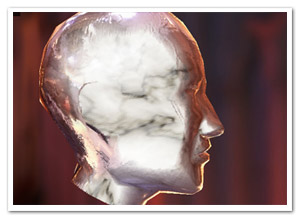
So what is the difference with the previous shaders? Using Pixel Bender, the shading is calculated for every pixel in the texture, resulting in much more detailed and realistic lighting or reflections. Each shader requires an object-space normal map, which you can use to add detailed shading information without increasing the polycount of the mesh.

headshader

The shaders come in three flavors: environment map shaders, and single- and multi-pass shaders. Single-pass shaders take one PointLight3D and any AmbientLight3D on the scene to calculate the lighting, whereas multi-pass takes any number of lights of any type (AmbientLight3D, DirectionalLight3D, and AmbientLight3D). Important to note, tho, is that every light adds another pass and will be slower. Of course, if you’re only using 1 light, always use single pass.

Check out the following classes in Google Code:

  • DiffusePBMaterial: Single-pass, adds diffuse lighting to the texture
  • PhongPBMaterial: Single-pass, adds diffuse lighting and specular highlights, with support for specular maps
  • SpecularPBMaterial: Single-pass, adds only highlights – can be used in combination with Prefab3D’s prebaked lighting to create view-dependent specular highlights
  • DiffuseMultiPassMaterial: Diffuse shading with multiple light sources
  • PhongMultiPassMaterial: Phong shading with multiple light sources

Demosplaneshader

Enough explanations, time for some demos! Right-click to view source:

That’s it, enjoy! Feel free to drop by the mailing list for questions or read the official announcement! For now, I need to get some sleep before Flash on the Beach kicks off :)

Leave a comment (10 comments)

Some Flash Pixel Bender performance tips + benchmarks

Tags: , , , , ,

flashpbSince I started playing around with Pixel Bender in Flash, I’ve been trying out some different approaches here and there and learned a thing or two on performance optimizations (and quirks). As many people use PB specifically for its performance, and not much has been written on the subject, I thought I’d share my experiences and back them up with some benchmarks. Some of the things here are pretty obvious, yet others can be surprising and even frustrating.

Remember that this concerns Shaders in Flash Player, not Photoshop or After Effects, and that results could change in future versions. All benchmarks were performed on my crummy pc (AMD Athlon 64 X2 Dual, 2.21Ghz, 2GB Ram, Win XP), using 500×500 data with 4 channels, each performing 10 consecutive kernel executions. The kernel itself is just a read, a multiplication, a division, and a sqrt. ShaderJobs are performed synchronously.

Let’s get the obvious out of the way first (I won’t go into common sense optimalizations too much).

Well, duh!

  • Use 4 channels only if necessary. No transparency? Ditch it.
  • Precalculate recurring constant calculations in Flash and pass them as parameters (such as width*height). Sure, it makes the “interface” of your Kernel potentially harder to read, but since Flash doesn’t support dependents (I hope it will some day), this should be a no-brainer if performance is really important.
  • If only a part of a BitmapData needs to be processed, isolate it into a new BitmapData using copyPixels. Even when using applyFilter, sourceRect is buggy.

Told you it was obvious :p Now, some better ones.

Use ShaderJob, not ApplyFilter

  • ShaderJob (on BitmapData) benchmark: 92-99ms
  • ApplyFilter benchmark: 104-109ms
  • ShaderJob ~ 10% faster

BitmapData is faster than ByteArray is faster than Vector.<Number> !

I’ve seen (and been guilty of) a lot of copying BitmapData into a Vector to harness “the power of Vector”. But look at this:

  • ShaderJob on BitmapData: 92-99ms
  • ShaderJob on ByteArray: 147-172ms
  • ShaderJob on Vector.<Number>: 167-192ms
  • BitmapData is ~40% faster than ByteArray
  • BitmapData is ~47% faster than Vector.<Number>!!

Use BitmapData unless you have no other choice, or if complete floating point precision is important.

Conditionals are expensive!

This one annoys me quite a bit. Imagine you’re doing some calculations that you don’t need to do when alpha == 0 (which, as it happens, is usually the case). It can be a good idea to do them anyway in favour of dropping the alpha == 0 check. For the benchmark, I used values that had alpha set to 0 for about half of the data! Compare results to the previous benchmark.

  • BitmapData: 134-192ms – ~47% speed loss!!!
  • ByteArray: 147-172ms – ~22% speed loss
  • Vector: 192-213ms – ~27% speed loss

In practice, test a version with and one without conditional. The results vary heavily depending on how many times calculations are omitted, and how many calculations are otherwise performed. Still, with half the (although slightly trivial) calculations omitted in this case, it’s stupefying that there’s so much increase in execution speed.

Do not use the input as the output

When using a ShaderJob or ApplyFilter, don’t use the same BitmapData/ByteArray/Vector instance that functions as the source. If you need iteration, you’re better of swapping two buffers. What happens is that Flash Player will need to make a temporary copy of the source, which slows things down.

Edit: The results here were compared to the normal ShaderJob test, while they’re using the alpha test. Percentages have been updated

  • BitmapData: 207-218ms – ~30% speed loss
  • ByteArray: 256-271ms – ~65% speed loss
  • Vector: 276-293ms – ~40% speed loss

Update: Asynchronous ShaderJob

I just tested it, and the results indicate that asynchronous calls (waitForCompletion=false) are slower than synchronous calls. I suppose that’s mainly because of the event handling flow. Another thing I tested was to run 2 asynchronous calls with data of half the size, but it seems only 1 asynchronous ShaderJob can be started at the same time.

That’s it, see for yourself!

In closing, I’ll mention something I usually do but doesn’t seem to have any effect (it’s actually a habit from ActionScript). When reading from the same coordinate multiple times, I often store outCoord() in a variable and use that in the sample function. Well, I tested it, and it doesn’t have any impact at all :)

That’s it, at least for now, I hope it’s helpful! Check the benchmark and its source (the source is in fact pretty ugly, but does the trick). I’d be happy to know what kind of results other hardware yields.

Leave a comment (13 comments)

Slice-based volume rendering using Pixel Bender

Tags: , , , , , ,

volumerendering

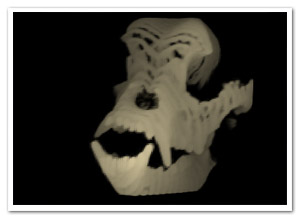
After a futile exploration of sparse voxel octree ray casting using Alchemy (which was fun but hopeless), I turned towards another technique for volume rendering, using view-aligned slices. The approach is not much different from the rendering of this older experiment, in which the slices were aligned to the object itself. Again, we’re using the same technique to create and read from the 3D texture (which is static in this case): ie. a set of cross sections placed next to eachother. CT scans are wonderful for this:

cross-section

Not that the image above is just a crop-out, we need a lot more to make it look decent (I used 32 cross sections).

Rendering the slices

slicesWhen using view-aligned slices, they typically won’t be aligned to the texture’s slices, as illustrated in the image to the right (yes, my graphic skills are EPIC!). The point p is any point on any view-aligned slice. We need to know where it is in the texture’s 3D space. This is simply a change of basis transformation, where both bases are defined to have the same origin. In our specific case, eye space is world space, so all we have to do is multiply p with the inverse of the object’s delta transformation matrix. Since the result will usually lie between 2 slices of the 3D texture (as in the illustration), we sample both texture slices with constant x and y coordinates and interpolate the colour values. This approach is not 100% correct, since the interpolation should also be aligned to the view. However, for this purpose, it’s a good trade-off for some extra performance.

As this needs to be done for every pixel on every slice, we’re doing these calculations through Pixel Bender. And that’s how it works in general lines. There’s some translations and scaling going on as well to ensure a uniform and properly centered transformation. If you’re still interested, you can check the source for that. Important to note is that half the slices in the back are actually culled for a worthwhile performance boost. They don’t really contribute all that much to the final image after all.

Demos

Click and drag to rotate the pitbull skull in all demos:

Leave a comment (8 comments)

Introducing Stok3d – More FP10 3D+Pixel Bender shading

Tags: , , , , , , , , ,

stok3d-envmapphongLast week I posted an example of Environment Mapping using FP10’s native 3D and Pixel Bender. The reactions were quite positive, which motivated me to push the concept a bit further and create more shaders using Pixel Bender. These new additions all work in the same fashion, ie. as Filters which need to be updated whenever the target object (or if provided: light position) changes.

I created a project on Google Code for this, dubbed Stok3d (as I was positively stoked at that specific point in time). It’s a mini-library at this point, but in the future there’s potentially more to it than shaders; Z-sorting for instance: although it has been done already, it wouldn’t be a bad idea to create something specifically for Stok3d and have more functionality in one place. But… zat’s for ze futuah! At least for now, it will be easier to commit bugfixes and updates.

Demos

In the order from low cpu usage (and less visually interesting) to high cpu usage (and more interesting):

* Although Stok3d is distributed under the GNU GPLv3 license, the textures are NOT covered by this license. In particular, the blast door and hangar door textures, normal maps, and specular maps are made by Florian Zender (http://www.florianzender.com) and are used with his kind permission. Check out his work, it’s quite impressive! :)

Source

The source for the examples as well as the library can be found on Google Code. It’s available over svn or as a downloadable archive.

Leave a comment (14 comments)

Spice up your postcard 3D with environment mapping

Tags: , , , , ,

envmapSince Flash Player 10 introduced native 3D functionality, the world of “postcard 3D” rejoiced as doing simple 3D tasks became much easier… Just as long as it did not involve z-sorting or shading effects.

The z-sorting has been tackled before, and here’s an attempt at implementing the second idea. Partly out of boredom and partly because I needed it as a first step towards another experiment, I created a simple cubic environment map effect, just in case you’d want your surfaces to be reflective. The filter itself is using Pixel Bender – what a surprise!

There’s some other possibilities I’m thinking of (phong shading for example), but it’d be good to know if there actually is any interest in stuff like this. I don’t want to be wasting my time either ;)

Cubic Environment Maps

Environment mapping is essentially a fake but relatively fast way to give the illusion of surface reflection. There are two common approaches: spherical and cubic mapping. The first maps the environment texture surrounding the scene on a sphere before mapping it onto the surface, the latter does it using a cube. Spherical mapping is usually faster and easier to use (it only requires 1 or 2 textures instead of one for every face of the cube), but sadly it doesn’t look very natural on a flat surface. Cubic mapping, on the other hand, looks better and is more commonly used these days. For more information, check this article on wikipedia.

So what do you need? Basically, you need to find a cube map and divide it up into 6 seperate images as illustrated below. You can assign these images to the EnvMapFilter class constructor.

cubemapWhen changing the surface position, scale or rotation, be sure to call the update method and reassign the filter to the target DisplayObject. All this is shown in the source.

Normal maps

It’s not a requirement, but if you want, you can assign a normal map to the filter. For every pixel, normal maps indicate the slope of the surface at any point and cause the reflections to be distorted. This gives the surface the appearance of having relief. A quick search on google or some texture libraries should yield plenty of them :)

Blabla yeah whatever!

Okay okay, enough chatter.

  • Demo – just follow the instructions (FP10.0.22 required, so you might get an upgrade request)
  • Source

Enjoy!

Leave a comment (7 comments)

3D smoke: taking Pixel Bender to the next dimension

Tags: , , , , , , ,

smoke3dOne final thing I wanted to achieve with smoke effects is to port the 2D simulation to 3D. Early results in pure AS3 were pretty disappointing, so again I turned to Pixel Bender and its speedy goodness. Still, the main obstacle was of course performance. The first step was to optimize the original 2D version by doing more in a single filter, throwing out some repetitive calculations performed per pixel, etc. And obviously, adding an extra dimension means more calculations. This system is grid-based, so the amount of nodes increases a lot! As a result, the grid size is reduced to 18×32x12 , which is leaning dangerously close to the realm of visual crud. Still, as an experiment, I consider it acceptable, and it’s using some tricks that might be worth sharing. Perhaps someone can do something better with this :)

I’ll explain a bit on how it works since I usually forget that part (if you’re not interested, just scroll down a bit). The actual fluid solver is based on the work of Jos Stam, and a lot has been written on the subject already.

3D textures

Pixel Shaders for 3D graphics such as GLSL have support for 3D textures. Since Pixel Bender is made for 2D, we have to find a different way to map a 3D grid to work with Pixel Bender. The solution is so straightforward that it’s hardly worth mentioning, but since I haven’t seen it done before, I will explain it anyway. All slices of the texture/grid along the z-axis are simply placed next to eachother, as pictured below:

smokeslices
Analogous to the representation of a 2D texture in a 1D array, the 2D coordinates are simply found by coord2D(x,y,z) = (x+gridWidth*z, y), or in a 1D array as coord1D(x, y, z) = (x+y*gridWidth*gridDepth+z*gridWidth). Told you it’s pretty pointless :)

Rendering

My first thought was to consider the grid as a set of voxels and use a raymarching algorithm to render it, although I knew that would end up being way too slow. Luckily, I found a much simpler solution that worked well enough. Depending on the world axis that is closest to the view vector, the grid is sliced up in bitmaps aligned to the grid’s local axes. Looking at the “box” head on, it’s simply divided in planes (parallel to the local XY plane) from back to front, when looking more from the left, it’s divided from left to right (parallel to the local YZ plane) and so forth. Using these slices, they’re simply placed on the stage as Bitmap objects using FP10’s 3D functionality. Luckily, the lack of depth sorting does not seem like such an important issue to create the illusion of a volume filled with smoke.

Finally

I’ll close up with some good news: I think I’m done with smoke for now! It’s not a promise, though… Moving on:

  • The demo – The box is invisible at first, in the middle of the screen. Fill it up with smoke and it’ll become visible.
  • The source – To get performance up a bit, there’s some guerilla-style coding. Enter at own risk!

Thanks to Joa for running his AS3V-tool on it – I can’t wait for it to go public! I don’t think I caught all violations, tho ;)

Leave a comment (12 comments)

Verlet + Newton + FP10 = Cloth Simulation

Tags: , , , , , , ,

clothA project I’m currently involved in inspired me to completely rewrite my old Curtain class into something more stable and versatile. Using a character physics method based on Verlet integration, and adding some properties for friction and gravity, it resulted in a 2D cloth simulation (at least after some updates I just did since I needed to get away from work for a bit). The curtain itself is drawn using the new drawTriangles API for Flash Player 10.

Anyone interested in Verlet integration (or scripted animation in general) should check out Keith Peters‘ book AdvancED ActionScript 3.0 Animation.

On to the demo! Right-click to view source. Not commented due to lack of time, but it shouldn’t be too hard to figure out :)

Leave a comment (13 comments)

Flash watercolour simulation (using PixelBender)

Tags: , , , , , , , , , ,

farbe-watercolour

Something I’ve been thinking about doing for a long time is imitating real artistic media, in particular watercolours. Not because I’m an avid watercolour painter (last time I’ve touched them was in kindergarten), but because I think it’s an interesting dynamic. Since it is mainly fluid dynamics, the idea resurfaced after my previous fluid sims. And luckily, with Pixel Bender, I can finally do this kind of thing! This paper by Cassidy J. Curtis et al was great, tho it also caused me to loose some time figuring out some errors. Finally I came up with something, dubbed Farbe (simply German for ‘colour’). One thing I dropped was the interaction between different strokes, because that would kill the cpu easily enough.

For a change, there’s no source of this, and for a few reasons. First of all, it’s a mess and needs to be optimized. Apart from that, I might just add on to this before I release anything (hence the project name ‘Farbe’).

The picture on the left is my poor imitation of Joan Miró’s Barcelona ‘92 poster (Strepie, this one’s for you ;) ), so ignore that and create your own :)

See Farbe in action

Leave a comment (21 comments)

HDR Lighting in FP10 (+ Away3D)

Tags: , , , , , , ,

hdrIf you’ve played any video games the past few years, you’ve definately seen the HDR (High Dynamic Range) effect. Creating a more brilliant colour spectrum, it’s both popular in photography and 3D rendering. In games it typically enhances the brighter areas and makes light spill over into darker areas (the so called light blooming effect). Using some settings, it can also create a more blurry atmospheric surrounding. Being a big game fan (or rather gfx-fetishist), it’s an effect I’ve always wanted to do. Using a tiny Pixel Bender kernel and some Flash filters, I came up with this.

A demo showing the effect and its parameters on a simple image can be seen here: Demo | Source .

But let’s face it, when doing HDR, we want it in 3D ;)  Rob Bateman kindly gave me permission to use his shader demo for Away3D (a 3D engine I’m growing more and more fond of). This demo in particular suited the use of HDR perfectly, so many thanks! I just added the HDRContainer class to the stage, setting the View3D as the target, and voila!

See HDR in Away3D (compare with the original to see the difference)

No source for that one tho, as 1) it’s not my demo (apart from 2 extra lines of code), and 2) it’s pretty much the same as the first demo :)

It should be similar to use the effect on any DisplayObject, for that matter: pass it through to the HDRContainer’s constructor and add the HDRContainer to the stage.

Leave a comment (19 comments)

© 2009 Der Schmale – David Lenaerts’s blog. All Rights Reserved.

This blog is powered by Wordpress and Magatheme by Bryan Helmig.