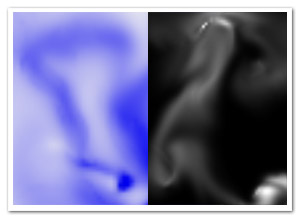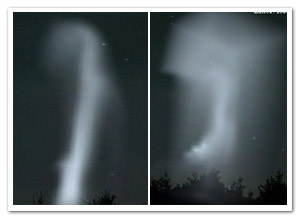
One final thing I wanted to achieve with smoke effects is to port the 2D simulation to 3D. Early results in pure AS3 were pretty disappointing, so again I turned to Pixel Bender and its speedy goodness. Still, the main obstacle was of course performance. The first step was to optimize the original 2D version by doing more in a single filter, throwing out some repetitive calculations performed per pixel, etc. And obviously, adding an extra dimension means more calculations. This system is grid-based, so the amount of nodes increases a lot! As a result, the grid size is reduced to 18×32x12 , which is leaning dangerously close to the realm of visual crud. Still, as an experiment, I consider it acceptable, and it’s using some tricks that might be worth sharing. Perhaps someone can do something better with this
I’ll explain a bit on how it works since I usually forget that part (if you’re not interested, just scroll down a bit). The actual fluid solver is based on the work of Jos Stam, and a lot has been written on the subject already.
3D textures
Pixel Shaders for 3D graphics such as GLSL have support for 3D textures. Since Pixel Bender is made for 2D, we have to find a different way to map a 3D grid to work with Pixel Bender. The solution is so straightforward that it’s hardly worth mentioning, but since I haven’t seen it done before, I will explain it anyway. All slices of the texture/grid along the z-axis are simply placed next to eachother, as pictured below:

Analogous to the representation of a 2D texture in a 1D array, the 2D coordinates are simply found by coord2D(x,y,z) = (x+gridWidth*z, y), or in a 1D array as coord1D(x, y, z) = (x+y*gridWidth*gridDepth+z*gridWidth). Told you it’s pretty pointless
Rendering
My first thought was to consider the grid as a set of voxels and use a raymarching algorithm to render it, although I knew that would end up being way too slow. Luckily, I found a much simpler solution that worked well enough. Depending on the world axis that is closest to the view vector, the grid is sliced up in bitmaps aligned to the grid’s local axes. Looking at the “box” head on, it’s simply divided in planes (parallel to the local XY plane) from back to front, when looking more from the left, it’s divided from left to right (parallel to the local YZ plane) and so forth. Using these slices, they’re simply placed on the stage as Bitmap objects using FP10’s 3D functionality. Luckily, the lack of depth sorting does not seem like such an important issue to create the illusion of a volume filled with smoke.
Finally
I’ll close up with some good news: I think I’m done with smoke for now! It’s not a promise, though… Moving on:
- The demo – The box is invisible at first, in the middle of the screen. Fill it up with smoke and it’ll become visible.
- The source – To get performance up a bit, there’s some guerilla-style coding. Enter at own risk!
Thanks to Joa for running his AS3V-tool on it – I can’t wait for it to go public! I don’t think I caught all violations, tho