Der Schmale – David Lenaerts’s blog

Flash Platform Experiments

Marching Cubes using Pixel Bender: Metaballs / LoFi 4D Julia Set

Tags: , , , , , , , , , ,

juliasetAs promised in my previous post, I would elaborate on some of the things done for the demo. So I’m taking a quick break from work to get this post done :)

Marching Cubes

One thing I did was implement a marching cubes algorithm using Pixel Bender, which is a way to triangulate an isosurface in a scalar field. I had started to write up a whole explanation, but realized it was kinda pointless, as it has been covered plenty of times :) If you’re interested, you’re better off reading up about the subject starting here and here.

Pixel Bender

I know there’s plenty of marching cube implementations in ActionScript out there, but I haven’t seen one using Pixel Bender, so I thought I’d give it a try. I’m using it to calculate the values in the scalar field (at least on the marching cube’s grid corners), and to build the pattern ids needed for triangulation. The benefit of using Pixel Bender is that you can put in any kind of calculation that outputs scalar values, some of which you wouldn’t dare to put ActionScript through. The drawback is that it seems to have some precision problems while doing comparisons (or so it seems), so there’s some missing triangles on occasion.

No transforms, no sorting

Something I’ve realized that’s pretty neat about this algorithm is that you don’t actually need sorting. As long as you make sure the grid is aligned to the “camera” at all times, the triangulation occurs back to front and will already be correctly sorted. This of course means you can’t do any rotations on the triangles, but that’s no big deal. You can simply perform the transformation on the grid coordinates, and let the correct values be calculated for those points. Added bonus, you can do any scaling and translations together with the projection matrix in one call to Utils3D.projectVectors, annihilating the need for any calls to Matrix3D.transformVectors. Result: some extra fps.

Metaballsmetaballs

Metaballs are probably the most iconic example of isosurfaces out there (bar MRI and CT imagery). It was actually my test data for the MC system, but it ended up making a sneaky appearance in the demo (which I still consider a tribute to the undisputed king of ActionScript sticky substances ).

> Metaball demo (click to change textures)

Quaternion Julia Set

Another example I did was to triangulate a quaternion Julia set, which seems pretty popular lately ;) It definitely looks better raytraced, but I couldn’t resist! I’m using the distance estimator function to produce the grid values (see here), and an epsilon distance as the surface’s isovalue. Since things always look less crap with music, I added some for a change.

> Quaternion Julia Set Demo (might take a while to load the mp3)

Source

The marching cubes thingy, as well as the metaballs example source is up for grabs at Google Code . Enjoy! If you make any surfaces with it, I’d love to see them :)

Leave a comment (11 comments)

A heartbeat, some books, and an IDE

Tags: , , , , , , , ,

Ouch! My last post has almost been 5 months ago! Realizing this, I had two options: to feign my own death until the next update, or to give some sign of (what for me passes as) life. Let’s go with the second option and see if there’s anything useful I can pass on anyway.

Not having posted in such a long time doesn’t mean I’ve been slacking off, though. Quite the contrary; the past months have seen some of the most intense coding sessions I’ve went through in a long time. First a 3-month non-stop coding spree for Away3D, followed by continued development on Farbe. Hopefully, the result of both will be available in the (very?) near future, along with some other updates!

Now, instead of giving you demos or code, here’s some other things to help you develop.

(and no, I won’t be sharing any thoughts on the future of Flash)

Books!

Books form such an important part of my development process and knowledge, I’m a bit surprised myself that I haven’t really shared any titles here. Trying to ammend the situation, here’s some of the more influential ones I’ve read since I’ve started this blog (leaving out more general ones concerning design patterns etc):

  • The Pragmatic Programmer, by Andrew Hunt and David Thomas: it’s a classic, and you should already have read it. So why am I still listing it? Because it often seems many Flash platform programmers stick to ActionScript/Flex-related books. Here’s a book that changes the way you think about your code, be it in form of design principles, tools or workflow. It’s a rather short read, so no excuses!
  • Elements of Programming,  by Alexander Stepanov and Paul McJones: I found this one on a random trip to the bookstore. Approaching algorithms and data structures in a very formal and mathematical way, it forces you to – again - think differently about your code, but on a lower level (mainly concerning algorithms using data structures). What I love about this type of books is that you suddenly realize how differently you start tackling certain algorithmic problems. Perhaps not a book for everyone, but an interesting read nonetheless.
  • 3D Game Engine Design, by David H. Eberly: (Thanks to Ralph for suggesting it way back :) ). “The Morgan Kaufmann Series in Interactive 3D Technology” has quite a few good books, but to me, this is the most valuable. Of all books I had at the time, this one taught me most about many 3D engine concepts. During the development of Wick3d, I couldn’t do without it.

IDE – IntelliJ

I’ve recently started using IntelliJ IDEA 9 for ActionScript and Flex development, after hearing Joa and the Flash Bum raving about it. Coming from Eclipse (Flex Builder and FDT), it took a while to get used to, but now I have I can’t imagine returning to Eclipse at all. I have been raving about it in real life, much to the annoyance of my co-workers, so it would be wrong of me not to mention it here.  The refactoring, template and code generation support is simply unmatched, there’s a very useful and clean UML diagram view, properly integrated Maven support, … AND I get to annoy the Java/back-end team directly inside the IDE ;-)

To think I was once had to code C in MS-Dos Edit, how times have changed… :)

Edit: The Flashbum just wrote an article on InsideRIA about how to get started. Read all about it!

That’s about it. I hope this sign of life is useful to anyone after all! If not, I promise there will be more real updates soon!

Leave a comment (5 comments)

All new normal map shaders in Away3D with Pixel Bender!

Tags: , , , , , , , , , , , , , ,

pixelshadingIt’s no secret that I like graphics. It’s the main reason why I play video games and it’s the main reason I got into programming. So obviously I was delighted to be invited and to join to the Away3D team last month. Inspired by my earlier Stok3d project (now on the backburner for a bit), I set off to create similar normal mapped pixel shaders, this time in full 3D. After some rough first patches (Stok3d was pretty simple since it only used DisplayObjects, flat planes), things have luckily shaped up, leading up to the first release!

The current state is a dot-release (3.4.2), so the exact implementation might still change while we’re working towards a shiny new 3.5.

The new shaders

So what is the difference with the previous shaders? Using Pixel Bender, the shading is calculated for every pixel in the texture, resulting in much more detailed and realistic lighting or reflections. Each shader requires an object-space normal map, which you can use to add detailed shading information without increasing the polycount of the mesh.

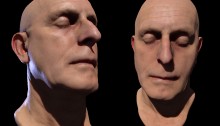
headshader

The shaders come in three flavors: environment map shaders, and single- and multi-pass shaders. Single-pass shaders take one PointLight3D and any AmbientLight3D on the scene to calculate the lighting, whereas multi-pass takes any number of lights of any type (AmbientLight3D, DirectionalLight3D, and AmbientLight3D). Important to note, tho, is that every light adds another pass and will be slower. Of course, if you’re only using 1 light, always use single pass.

Check out the following classes in Google Code:

  • DiffusePBMaterial: Single-pass, adds diffuse lighting to the texture
  • PhongPBMaterial: Single-pass, adds diffuse lighting and specular highlights, with support for specular maps
  • SpecularPBMaterial: Single-pass, adds only highlights – can be used in combination with Prefab3D‘s prebaked lighting to create view-dependent specular highlights
  • DiffuseMultiPassMaterial: Diffuse shading with multiple light sources
  • PhongMultiPassMaterial: Phong shading with multiple light sources

Demosplaneshader

Enough explanations, time for some demos! Right-click to view source:

That’s it, enjoy! Feel free to drop by the mailing list for questions or read the official announcement! For now, I need to get some sleep before Flash on the Beach kicks off :)

Leave a comment (10 comments)

Slice-based volume rendering using Pixel Bender

Tags: , , , , , ,

volumerendering

After a futile exploration of sparse voxel octree ray casting using Alchemy (which was fun but hopeless), I turned towards another technique for volume rendering, using view-aligned slices. The approach is not much different from the rendering of this older experiment, in which the slices were aligned to the object itself. Again, we’re using the same technique to create and read from the 3D texture (which is static in this case): ie. a set of cross sections placed next to eachother. CT scans are wonderful for this:

cross-section

Not that the image above is just a crop-out, we need a lot more to make it look decent (I used 32 cross sections).

Rendering the slices

slicesWhen using view-aligned slices, they typically won’t be aligned to the texture’s slices, as illustrated in the image to the right (yes, my graphic skills are EPIC!). The point p is any point on any view-aligned slice. We need to know where it is in the texture’s 3D space. This is simply a change of basis transformation, where both bases are defined to have the same origin. In our specific case, eye space is world space, so all we have to do is multiply p with the inverse of the object’s delta transformation matrix. Since the result will usually lie between 2 slices of the 3D texture (as in the illustration), we sample both texture slices with constant x and y coordinates and interpolate the colour values. This approach is not 100% correct, since the interpolation should also be aligned to the view. However, for this purpose, it’s a good trade-off for some extra performance.

As this needs to be done for every pixel on every slice, we’re doing these calculations through Pixel Bender. And that’s how it works in general lines. There’s some translations and scaling going on as well to ensure a uniform and properly centered transformation. If you’re still interested, you can check the source for that. Important to note is that half the slices in the back are actually culled for a worthwhile performance boost. They don’t really contribute all that much to the final image after all.

Demos

Click and drag to rotate the pitbull skull in all demos:

Leave a comment (8 comments)

3D smoke: taking Pixel Bender to the next dimension

Tags: , , , , , , ,

smoke3dOne final thing I wanted to achieve with smoke effects is to port the 2D simulation to 3D. Early results in pure AS3 were pretty disappointing, so again I turned to Pixel Bender and its speedy goodness. Still, the main obstacle was of course performance. The first step was to optimize the original 2D version by doing more in a single filter, throwing out some repetitive calculations performed per pixel, etc. And obviously, adding an extra dimension means more calculations. This system is grid-based, so the amount of nodes increases a lot! As a result, the grid size is reduced to 18x32x12 , which is leaning dangerously close to the realm of visual crud. Still, as an experiment, I consider it acceptable, and it’s using some tricks that might be worth sharing. Perhaps someone can do something better with this :)

I’ll explain a bit on how it works since I usually forget that part (if you’re not interested, just scroll down a bit). The actual fluid solver is based on the work of Jos Stam, and a lot has been written on the subject already.

3D textures

Pixel Shaders for 3D graphics such as GLSL have support for 3D textures. Since Pixel Bender is made for 2D, we have to find a different way to map a 3D grid to work with Pixel Bender. The solution is so straightforward that it’s hardly worth mentioning, but since I haven’t seen it done before, I will explain it anyway. All slices of the texture/grid along the z-axis are simply placed next to eachother, as pictured below:

smokeslices
Analogous to the representation of a 2D texture in a 1D array, the 2D coordinates are simply found by coord2D(x,y,z) = (x+gridWidth*z, y), or in a 1D array as coord1D(x, y, z) = (x+y*gridWidth*gridDepth+z*gridWidth). Told you it’s pretty pointless :)

Rendering

My first thought was to consider the grid as a set of voxels and use a raymarching algorithm to render it, although I knew that would end up being way too slow. Luckily, I found a much simpler solution that worked well enough. Depending on the world axis that is closest to the view vector, the grid is sliced up in bitmaps aligned to the grid’s local axes. Looking at the “box” head on, it’s simply divided in planes (parallel to the local XY plane) from back to front, when looking more from the left, it’s divided from left to right (parallel to the local YZ plane) and so forth. Using these slices, they’re simply placed on the stage as Bitmap objects using FP10′s 3D functionality. Luckily, the lack of depth sorting does not seem like such an important issue to create the illusion of a volume filled with smoke.

Finally

I’ll close up with some good news: I think I’m done with smoke for now! It’s not a promise, though… Moving on:

  • The demo – The box is invisible at first, in the middle of the screen. Fill it up with smoke and it’ll become visible.
  • The source – To get performance up a bit, there’s some guerilla-style coding. Enter at own risk!

Thanks to Joa for running his AS3V-tool on it – I can’t wait for it to go public! I don’t think I caught all violations, tho ;)

Leave a comment (12 comments)

Verlet + Newton + FP10 = Cloth Simulation

Tags: , , , , , , ,

clothA project I’m currently involved in inspired me to completely rewrite my old Curtain class into something more stable and versatile. Using a character physics method based on Verlet integration, and adding some properties for friction and gravity, it resulted in a 2D cloth simulation (at least after some updates I just did since I needed to get away from work for a bit). The curtain itself is drawn using the new drawTriangles API for Flash Player 10.

Anyone interested in Verlet integration (or scripted animation in general) should check out Keith Peters‘ book AdvancED ActionScript 3.0 Animation.

On to the demo! Right-click to view source. Not commented due to lack of time, but it shouldn’t be too hard to figure out :)

Leave a comment (18 comments)

Smoke/fluids simulation using Pixel Bender – part III

Tags: , , , , , , , ,

smoke-v3The third pass at smoke/fluids simulation again looks quite different from the previous two attempts, but this time it’s stable both when keeping still as while moving. Not surprisingly, as the current approach is more like Stam‘s fluid solver. The downside is that it’s much less processor-friendly: every new step (adding forces, diffusion, advection, updating boundaries, …) needs the previous step to be completed over the entire velocity or pressure field. As a result, this simulation is using 9 different Pixel Bender kernels. In total, 49 pixel bender filters are executed per frame, some more intense as others, along with some BitmapData methods. Consequently, the grid size needs to be scaled down a lot  (64×128 in the example). All in all, I’m still surprised that it doesn’t slow down to a crawl!

The FluidBitmap class has some properties such as timeStep, buoyancy and viscosity, which can influence the look and tempo of the fluid, but can affect the stability of the solver due to precision errors using BitmapData. There is support for forces, encoded in a BitmapData, similar to the velocity field (red = x, green = y). Maybe some day, I’ll make working with these forces a bit easier, but for now I’ll focus on other things than fluids ;)  

The demo – A smoke simulation using positive buoyancy. Click to show the red and green channels representing the velocity field.

The source

Oh, and a happy new year! :)

Leave a comment (19 comments)

Wick3d from scratch

Tags: , ,

After some books finally arrived by mail, I’ve been spending the past two weeks reading up on 3D maths. Being unhappy with how my playground engine Wick3d was evolving (bad code flow resulting in poor maintainability being the worst of it), I decided to put some of this newly acquired knowledge to practice and redo the engine from scratch. Perhaps the biggest structural improvement would be that the operations such as transformations, culling, drawing, etc… are now being executed from a centralized render pipeline. Furthermore, some other things are done more correctly. For instance, the render target is now a viewport and the camera works with field of view instead of some random zoom factor. The latest addition is a rudimentary clipper, which clips triangles intersecting the projection plane so they don’t just disappear when they’re too close. Regretfully, it doesn’t look too great yet (I have linear texture mapping to thank for that). The shading that was in the previous version hasn’t been reinserted, and it will probably be a while. There’s still plenty of other things that I want to realise before I get back to that.

The code still isn’t available yet, mainly since the code’s not entirely the way I’d like it. In any case, this project is just a study case for me. But who knows what the future might bring ;)

Check the demo if you feel bored, move around the mouse a bit and use the mouse wheel to change the field of view (and notice how fast it starts to look ugly).

Leave a comment (3 comments)

Strange attraction; representing differential equations over time

Tags:

I’m not sure why this is worth writing about, but I got bored and in a visit down memory lane, I decided to revisit some of my old DOS-experiments in Actionscript, and enlighten a thing or two on the subject ;)

Chaos theory used to be a subject that interested me a lot in high school for some reason, and when looking at the subject, you can’t skim past Strange Attractors and, in particular, the famous Lorenz Attractor. An important aspect of what this system is showing, is that small changes in the initial state of a complex dynamical system can result in large and unexpected differences on a larger scale (commonly known as the butterfly effect). In this example for instance, changing the initial position just a little, will at first seem to converge with the trajectory of the original position. In later stages, however, it will diverge more and more. Plenty of that can be read in literature, and it’s beyond my scope here. The demo doesn’t really allow you to play around with that either, it only shows the trajectories for the constants in the equations. It’s mainly there for aesthetical reasons, and to give a source code example (right-click on the demo, you know the drill).

Anyway, I thought I’d just enlighten you on how to bring these babies to the screen. Why on earth would anyone even want to put them on a screen? Well, for some reason, I find them beautiful :D But perhaps more important, if you’re looking for complex, unpredictable, non-repeating, but pattern-like movements, you might just end up using differential equations (I’m thinking smoke, turbulence, adding milk to coffee…). Play around with it, and see what you can come up with.

In the case of the Lorenz attractor, the equation goes like this:
dx/dt = σ(y-x)
dy/dt = x(ρ-z)-y
dz/dt = xy-
βz

In practice, this means that over an infinitisimal amount of time (dt), the variables x, y and z will change by the respective left-hand side of the equation. Of course, in programming, we’ll have to approximate the infinitisimal character. We’ll work in steps of time, instead. Obviously, smaller steps will be more correct. Let’s rework the equation just a tiny bit, replacing dt with our time step:

dx = σ(y-x)*timestep
dy = (x(ρ-z)-y)*timestep
dz = (xy-βz)*timestep

So afterwards, we just add dx, dy, and dz to x, y, and z respectively, and we have the next position in the trajectory! σ, ρ, and β are constants that will influence the attractor. By changing these values, there will be three possible situations: the trajectory will converge towards one point, diverge towards infinity, or will endlessly seem to be attracted around a set of points without ever repeating itself, in which case we have a chaotic system going.

And that’s it! Complexity doesn’t need to be complex at all :) Checkout the demo or the source to see the implementation.

Leave a comment (1 comment)

Phong shading (in progress) in AS3

Tags: , , ,

The past week, I’ve mainly spent trying to figure out how to do (fake) Phong shading and environment mapping. In the case of phong, the result can be seen here. A few alternatives that I tried didn’t work out, but after some quick hints from Ralph and lots of calculations, I found a solution that more or less works (at least for me ;) ). Weirdly enough, most of my time went into figuring out how not to show the lighting on the opposite side of the lit object (it’s a normal effect since this shading technique borrows from environment mapping). As you might notice, it’s still not quite right…

In the demo, you can see more or less the same cube and sphere from the Gouraud post. The uv-mapping is still off on the seem where the two horizontal ends of the texture (should) connect, but at least now I know why :) The texture “wraps back” because the U-coordinates are on opposite sides of the texture. I’ll have to figure out how to fix it… If it looks like a familiar problem, any suggestions are welcome :)

Next task: heavy duty optimization and refactoring! Good times :D

Leave a comment (8 comments)

© 2009 Der Schmale – David Lenaerts’s blog. All Rights Reserved.

This blog is powered by Wordpress and Magatheme by Bryan Helmig.