Der Schmale – David Lenaerts’s blog

Flash Platform Experiments

The Away3D “dev” Branch

Tags: , , , ,

If you’ve been following the updates on the Away3D blog, you’ll have noticed the updated roadmap mentioning the dev branch on Github. This branch is basically where we’re working to get things towards Beta, so take a look if you’re curious to see where we’re headed. I personally advise anyone to use this branch if you’re starting out with a new project but make a snapshot of the revision you’re working with. Some things will still change and might very well break your code ;)

We’ll put up some proper blog posts introducing new features as we get to Beta, but for now I’ll quickly explain what I’ve personally been working on, and how I broke your existing code ;) I’ve also went ahead and updated the source code for the demos in previous blog posts to match the dev branch, so you can see how it differs concretely.


Death to BitmapMaterial! All hail TextureMaterial!

One of the biggest changes, I think. Favouring composition over inheritance, we deprecated BitmapMaterial, VideoMaterial, MovieMaterial etc. They have been replaced by a single TextureMaterial, which accepts a Texture2DBase object. In practice, this will for instance be a BitmapTexture (VideoTexture etc are still in development). This way, when supporting new texture types you don’t need to extend every type of material that needs to extend this material type, which is especially a mess when you start creating custom materials (and need to extend/duplicate those to support all possible texture types). The same applies for cube maps (fe: BitmapCubeTexture), the normal and specular maps that are set on the default materials, and the view’s backgroundImage (now simply View3D::background). It’s a big change that might annoy many of you, but it’s necessary. With things like ATF support coming up (and who knows what else), things would simply become unmanageable and error-prone otherwise.

Furthermore, there are some “special” convenience textures that can be used for the default materials. For instance, these materials expect a specular map to have the specular strength on the red channel, and the specular power (gloss) on the green. SpecularBitmapTexture allows you to pass two greyscale BitmapData objects (gloss is optional) and composites the data correctly. When using texture splatting, you can use SplatBlendBitmapTexture, which takes 3 BitmapData objects containing the blending value for each splatting layer and places each on the red, blue and green channels as expected by TerrainDiffuseMethod. However, in both cases, it’s usually better to do these things in your offline asset preparation stage and use simpler texture objects instead.


Light Picking

Another rather big change for those working with lights, but one that offers great benefits. Instead of assigning the lights as a static array as before, materials now expect a LightPickerBase object. Right now, that means StaticLightPicker, which in turn accepts the array of lights. Why this extra object? This way, you can create a DynamicLightPicker object that selects the most important lights from the EntityCollector, allowing different lights to be used without reassigning the light array (and as a result potentially invalidating the material). As light collection is often game-engine dependent, providing our own dynamic light picker is not the highest priority. At least it’s good to know the possibility is there, right? ;)


Disposal

Before, most dispose(…) methods accepted a “deep” parameter, which caused “sub-assets” (Geometry of a Mesh, BitmapData of a BitmapTexture, etc) to be disposed as well. While in some cases this saves you from writing a trivial few lines of disposal code, in many cases it just is an open door to invalid state (accidentally disposing a BitmapData used by another BitmapTexture) and ambiguity (what will be cleared, and what will remain uncleaned?). Allowing an object to destroy objects it did not create is poor resource management and generally bad practice in my opinion. Hence the new credo: you clean up what you create!


Ambient lighting

There have been some changes in how ambient lighting works. Before, the ambient and ambientColor of the materials dictated how much ambient light is coming from the lights, rather than how much ambient light is actually reflected by the material. That has been changed, and lights now have ambient and ambientColor properties as well. As a result, ambient light now functions similar to diffuse and specular light. The lights emit it, the material reflects it. It’s usually best to only set ambient light properties on DirectionalLight objects, since ambient light is global. PointLight objects can get culled if they’re not affecting anything in the frustum and their ambient contribution would be dropped as a result.


Other changes and new features

  • Big refactor on how the materials and animations are compiled to facilitate building custom materials
  • Slight restructuring of the render flow to allow more intricate custom renderers
  • Light probes (default materials only support convoluted cube maps at this point)
  • Reduced shadow swimming with shadow mapping
  • RefractionEnvMapMethod for environment-map based refraction mapping
  • AnisotropicSpecularMethod for anisotropic specular highlights
  • Shadow mapping for point lights (HardShadowMapMethod only)
  • AlphaMaskMethod to influence the material’s alpha, optionally based on a secondary UV set
  • Light map methods: DiffuseLightMapMethod to apply light maps as diffuse light, and LightMapMethod to apply it on the final shaded result
  • WrapDiffuseMethod to perform a very cheap fake way for subsurface scattering, as outlined in GPU Gems #1
I hope to scrape together some time to write some things about these new features as soon as possible. A recurring promise, I know, but bear with me here ;)
Update: Forgot to mention that there are also updated official Away3D demos in the examples’ texture-refactor branch (the name is due to a previous branch).
Leave a comment (4 comments)

Away3D 4.0 Demo for Flash on the Beach 2011

Tags: , , , , , , , ,

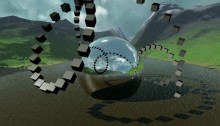
Oh such busy times! I’m not keeping up with my planned blog posts as much as I’d like, but between work and Away3D 4.0 updates there’s not as much time left to actually write about it. But, I did want to share a video from my presentation on Flash on the Beach 2011, showcasing some of the things that can be done relatively easily with Away3D 4.0 by compositing several shadow methods and so on. It also showcases some tricks that aren’t in the engine yet, but will be after some refactoring. It’s very much a coder’s demo, so don’t expect too much artistic sense ;)

Some of the things shown that I’d like the point out:

  • Subsurface scattering for ice and gelatinous materials
  • Large amount of independently moving scene graph objects (1000 cubes)
  • Terrain texture splatting
  • Partial shadow mapping for large view frustra (coming soon)
  • Dynamic cube map refraction + colour aberration (coming soon)
  • Dynamic cube map reflections (coming soon)

I’ll elaborate on some more once they’re available in the engine, I promise! :)

The Away3D team also recently joined forces with Evoflash (in particular Simo) again to create a real scene demo for Adobe MAX. Read all about that one Simo’s blog. Great job guys!

Leave a comment (9 comments)

© 2009 Der Schmale – David Lenaerts’s blog. All Rights Reserved.

This blog is powered by Wordpress and Magatheme by Bryan Helmig.