Der Schmale – David Lenaerts’s blog

Flash Platform Experiments

All new normal map shaders in Away3D with Pixel Bender!

Tags: , , , , , , , , , , , , , ,

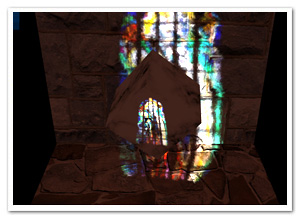
pixelshadingIt’s no secret that I like graphics. It’s the main reason why I play video games and it’s the main reason I got into programming. So obviously I was delighted to be invited and to join to the Away3D team last month. Inspired by my earlier Stok3d project (now on the backburner for a bit), I set off to create similar normal mapped pixel shaders, this time in full 3D. After some rough first patches (Stok3d was pretty simple since it only used DisplayObjects, flat planes), things have luckily shaped up, leading up to the first release!

The current state is a dot-release (3.4.2), so the exact implementation might still change while we’re working towards a shiny new 3.5.

The new shaders

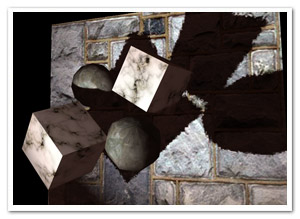
So what is the difference with the previous shaders? Using Pixel Bender, the shading is calculated for every pixel in the texture, resulting in much more detailed and realistic lighting or reflections. Each shader requires an object-space normal map, which you can use to add detailed shading information without increasing the polycount of the mesh.

headshader

The shaders come in three flavors: environment map shaders, and single- and multi-pass shaders. Single-pass shaders take one PointLight3D and any AmbientLight3D on the scene to calculate the lighting, whereas multi-pass takes any number of lights of any type (AmbientLight3D, DirectionalLight3D, and AmbientLight3D). Important to note, tho, is that every light adds another pass and will be slower. Of course, if you’re only using 1 light, always use single pass.

Check out the following classes in Google Code:

  • DiffusePBMaterial: Single-pass, adds diffuse lighting to the texture
  • PhongPBMaterial: Single-pass, adds diffuse lighting and specular highlights, with support for specular maps
  • SpecularPBMaterial: Single-pass, adds only highlights – can be used in combination with Prefab3D’s prebaked lighting to create view-dependent specular highlights
  • DiffuseMultiPassMaterial: Diffuse shading with multiple light sources
  • PhongMultiPassMaterial: Phong shading with multiple light sources

Demosplaneshader

Enough explanations, time for some demos! Right-click to view source:

That’s it, enjoy! Feel free to drop by the mailing list for questions or read the official announcement! For now, I need to get some sleep before Flash on the Beach kicks off :)

Leave a comment (10 comments)

More Stok3d: Parallax mapping & Water shading

Tags: , , , , , , , , ,

waterToday’s update on Stok3d is perhaps not as useful as the previous post, but I certainly had fun working on it. Or as we say in Dutch with a word blatantly stolen from German: it’s “spielerei”.

Demos:

I’m going to post the demos first this time. Saves you some scrolling effort, because the explanations below are rather boring ;)

  • Parallax Mapping : Move and turn towards the edges of the screen to see the extrusion of the texture best. A PhongFilter is added as a second filter, making it slower but the effect becomes more obvious.
  • Water Shading 1 – Ocean : Reflects or refracts light depending on the view angle and the surface relief. It animates a perlin noise filter to generate a water heightmap.
  • Water Shading 2 – Ripples : Same thing, but with a simple drawn ripple effect. The difference between refracted and reflected light is more obvious here.

Edit: Even if you have Flash Player 10, you still might get an update request. That is because these demos require the version of 10.0.22 concerning recent Pixel Bender bugfixes.

The source code for these demos can also be found on Google Code.

Useful updates

Some updates I did involved some bugfixes and performance-related updates. I also added a NormalMapUtil class, which provides a basic API to generate and manipulate normal maps. The main features are the generateFromHeightmap and drawFromHeightmap methods. Since height maps (or bump maps) are generally easier to come by (and to make), these methods generate a normal map for you. generateFromHeightMap creates a new BitmapData, drawFromHeightMap uses an existing BitmapData that you provide (useful if you need to generate one on every frame). The NormalMapUtil class furthermore allows you to invert the components of the normals, in case a normal map reflects the light in the wrong directions.

Water Shading

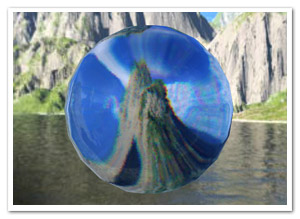
A new shader filter that was added is the WaterShadingFilter. If you remember your high school physics, depending on the view angle, the surface either reflects the light or lets it pass through and refracts it (which is called the fresnel effect).  To put it simply, when looking at water at a shallow angle, it seems like a very reflective surface, but when looking straight down into it, you can see through it but it’s a distorted view. The reflection uses a combination of environment mapping and phong shading, while the refraction is a simple displacement mapping technique. The DisplayObject to which the filter is applied is used as what’s underneath the surface, ie: the refracted light. The ripples seen in the demo are not made by the filter, but are custom written to manipulate the normal map.

Parallax Mapping

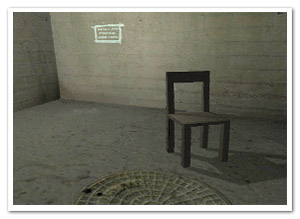
Another new filter is the ParallaxFilter, which performs (you guessed it) parallax mapping. It’s a technique like bump and normal mapping, in the sense that it tries to give more depth to a 2D texture. It does so by displacing texture coordinates based on a height map and view direction to the coordinate that it would normally have in 3D space. This causes the texture to look extruded and more detailed. For more (and better) information, check the article on wikipedia. Stok3d implements an iterative variation. It’s a bit slower but takes care of overlap issues and can handle sharp edges.

That’s it! For now, it’s back to Farbe, and… some other things :)

Leave a comment (14 comments)

Return of the ripples! Shallow water simulation with Pixel Bender.

Tags: , , , , , , , ,

shallowwater

When looking at my blog stats, the most popular post by far is the old Ripple effect I did some time ago, which was based on an old demoscene trick. For a while, I’ve wanted to do a more physically correct version based on shallow water equations. Since the watercolour effect I did was based on a similar variation (as well as the image bleeding in the previous post), I decided to throw together a quick test to see if it could be turned into a new iteration of the old ripple effect. It’s mainly done for sake of experimentation, and if you really want a ripple effect I suggest using the prior one. Although the dynamics are more interesting, this one is slower, but I’m pretty happy with the performance considering the amount of calculations and the grid size (the demo has a grid of 200×200).

  • Demo
  • Source – There’s a few parameters to play around with, but take care: the simulation might just blow up with extreme settings ;)

Some day I might try out a sim with the real shallow water equations, just in case you haven’t gotten violently sick from all the fluid simulations lately (I haven’t, as seems) :D

Leave a comment (32 comments)

Experimenting with Alchemy: of Smoke, Milk, and Ink

Tags: , , , , , ,

Smoke and Milk simulationThanks to Ralph Hauwert’s blogpost pushing a baffling >300.000 particles using Alchemy, I finally got the much needed motivation to try out Alchemy myself. To be able to get started asap, I decided to return to something I’ve done before: fluid and smoke dynamics, but with a different algorithm (see Mike West’s article on Gamedev). It took me a while to figure it out, but it’s up an running! It’s a faster algorithm, but less physically correct.

While I typically would do most of these kinds of calculations in Pixel Bender, for the examples below, I decided to try it all in C and see how far Alchemy can be pushed. The grid is bigger than before, while the framerate is steady around 20 on my machine. Ralph has suggested some improvements for the rendering step already (thx! ;) ), so I’ll have some more experimenting to do :D

It was great to return to C, especially since it’s been 8 years since I’ve written my last line in that language. Quite a rush of nostalgia!

Source is included with the demos, tho it’s not the most reusable I’ve ever written :)

The HiRes FPS counter is done by Mr. Doob.

Leave a comment (18 comments)

Flash Player 10 on the big screen!

Tags: , , , , , ,

durfontdekken

On a rare occasion, instead of posting code and experiments, I like to post some things I’ve done at my job. Especially when it illustrates a practical use of some of my earlier experiments. So here we go!

For a project for the University of Ghent at Nascom (via Saatchi & Saatchi), I had to create a front-end application to be displayed on a big 12m² billboard, placed in Ghent. Without going into too much detail of the whole concept (which you can read at the official blogpost), it consisted out of a set of mini-applications allowing people to text mobile messages and interact with the display (show messages, a poll, …). being all booked up, I had to sacrifice some free time to be able to work on it. The reason I did was the same reason I decided to use Flash Player 10: a perfect excuse to work on the earlier 2D cloth simulation and turn it into stage curtains on a whopper public screen. Blatant self-exposure? Nah :p

Below, you can see a video recording showing it in action. The curtains open up after someone sends a text to the service, showing a random picture or video. Apologies for the low quality, all we had was a photo camera, and led lights don’t like to be filmed :)

Thanks to Jan Nikolaas Gijsen for editing the video! And I promise, this will be the last cloth-related post – at least for some time :D

Leave a comment (2 comments)

Verlet + Newton + FP10 = Cloth Simulation

Tags: , , , , , , ,

clothA project I’m currently involved in inspired me to completely rewrite my old Curtain class into something more stable and versatile. Using a character physics method based on Verlet integration, and adding some properties for friction and gravity, it resulted in a 2D cloth simulation (at least after some updates I just did since I needed to get away from work for a bit). The curtain itself is drawn using the new drawTriangles API for Flash Player 10.

Anyone interested in Verlet integration (or scripted animation in general) should check out Keith Peters‘ book AdvancED ActionScript 3.0 Animation.

On to the demo! Right-click to view source. Not commented due to lack of time, but it shouldn’t be too hard to figure out :)

Leave a comment (13 comments)

HDR Lighting in FP10 (+ Away3D)

Tags: , , , , , , ,

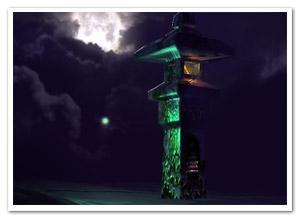
hdrIf you’ve played any video games the past few years, you’ve definately seen the HDR (High Dynamic Range) effect. Creating a more brilliant colour spectrum, it’s both popular in photography and 3D rendering. In games it typically enhances the brighter areas and makes light spill over into darker areas (the so called light blooming effect). Using some settings, it can also create a more blurry atmospheric surrounding. Being a big game fan (or rather gfx-fetishist), it’s an effect I’ve always wanted to do. Using a tiny Pixel Bender kernel and some Flash filters, I came up with this.

A demo showing the effect and its parameters on a simple image can be seen here: Demo | Source .

But let’s face it, when doing HDR, we want it in 3D ;)  Rob Bateman kindly gave me permission to use his shader demo for Away3D (a 3D engine I’m growing more and more fond of). This demo in particular suited the use of HDR perfectly, so many thanks! I just added the HDRContainer class to the stage, setting the View3D as the target, and voila!

See HDR in Away3D (compare with the original to see the difference)

No source for that one tho, as 1) it’s not my demo (apart from 2 extra lines of code), and 2) it’s pretty much the same as the first demo :)

It should be similar to use the effect on any DisplayObject, for that matter: pass it through to the HDRContainer’s constructor and add the HDRContainer to the stage.

Leave a comment (19 comments)

© 2009 Der Schmale – David Lenaerts’s blog. All Rights Reserved.

This blog is powered by Wordpress and Magatheme by Bryan Helmig.