Der Schmale – David Lenaerts’s blog

Flash Platform Experiments

Away3D 4.0 Demo for Flash on the Beach 2011

Tags: , , , , , , , ,

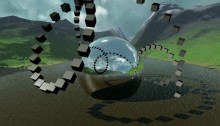
Oh such busy times! I’m not keeping up with my planned blog posts as much as I’d like, but between work and Away3D 4.0 updates there’s not as much time left to actually write about it. But, I did want to share a video from my presentation on Flash on the Beach 2011, showcasing some of the things that can be done relatively easily with Away3D 4.0 by compositing several shadow methods and so on. It also showcases some tricks that aren’t in the engine yet, but will be after some refactoring. It’s very much a coder’s demo, so don’t expect too much artistic sense ;)

Some of the things shown that I’d like the point out:

  • Subsurface scattering for ice and gelatinous materials
  • Large amount of independently moving scene graph objects (1000 cubes)
  • Terrain texture splatting
  • Partial shadow mapping for large view frustra (coming soon)
  • Dynamic cube map refraction + colour aberration (coming soon)
  • Dynamic cube map reflections (coming soon)

I’ll elaborate on some more once they’re available in the engine, I promise! :)

The Away3D team also recently joined forces with Evoflash (in particular Simo) again to create a real scene demo for Adobe MAX. Read all about that one Simo’s blog. Great job guys!

Leave a comment (9 comments)

All new normal map shaders in Away3D with Pixel Bender!

Tags: , , , , , , , , , , , , , ,

pixelshadingIt’s no secret that I like graphics. It’s the main reason why I play video games and it’s the main reason I got into programming. So obviously I was delighted to be invited and to join to the Away3D team last month. Inspired by my earlier Stok3d project (now on the backburner for a bit), I set off to create similar normal mapped pixel shaders, this time in full 3D. After some rough first patches (Stok3d was pretty simple since it only used DisplayObjects, flat planes), things have luckily shaped up, leading up to the first release!

The current state is a dot-release (3.4.2), so the exact implementation might still change while we’re working towards a shiny new 3.5.

The new shaders

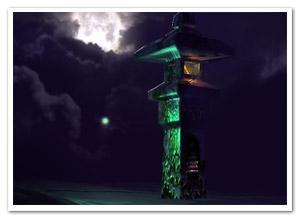
So what is the difference with the previous shaders? Using Pixel Bender, the shading is calculated for every pixel in the texture, resulting in much more detailed and realistic lighting or reflections. Each shader requires an object-space normal map, which you can use to add detailed shading information without increasing the polycount of the mesh.

headshader

The shaders come in three flavors: environment map shaders, and single- and multi-pass shaders. Single-pass shaders take one PointLight3D and any AmbientLight3D on the scene to calculate the lighting, whereas multi-pass takes any number of lights of any type (AmbientLight3D, DirectionalLight3D, and AmbientLight3D). Important to note, tho, is that every light adds another pass and will be slower. Of course, if you’re only using 1 light, always use single pass.

Check out the following classes in Google Code:

  • DiffusePBMaterial: Single-pass, adds diffuse lighting to the texture
  • PhongPBMaterial: Single-pass, adds diffuse lighting and specular highlights, with support for specular maps
  • SpecularPBMaterial: Single-pass, adds only highlights – can be used in combination with Prefab3D‘s prebaked lighting to create view-dependent specular highlights
  • DiffuseMultiPassMaterial: Diffuse shading with multiple light sources
  • PhongMultiPassMaterial: Phong shading with multiple light sources

Demosplaneshader

Enough explanations, time for some demos! Right-click to view source:

That’s it, enjoy! Feel free to drop by the mailing list for questions or read the official announcement! For now, I need to get some sleep before Flash on the Beach kicks off :)

Leave a comment (10 comments)

Introducing Stok3d – More FP10 3D+Pixel Bender shading

Tags: , , , , , , , , ,

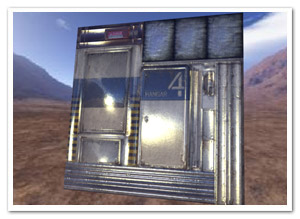
stok3d-envmapphongLast week I posted an example of Environment Mapping using FP10′s native 3D and Pixel Bender. The reactions were quite positive, which motivated me to push the concept a bit further and create more shaders using Pixel Bender. These new additions all work in the same fashion, ie. as Filters which need to be updated whenever the target object (or if provided: light position) changes.

I created a project on Google Code for this, dubbed Stok3d (as I was positively stoked at that specific point in time). It’s a mini-library at this point, but in the future there’s potentially more to it than shaders; Z-sorting for instance: although it has been done already, it wouldn’t be a bad idea to create something specifically for Stok3d and have more functionality in one place. But… zat’s for ze futuah! At least for now, it will be easier to commit bugfixes and updates.

Demos

In the order from low cpu usage (and less visually interesting) to high cpu usage (and more interesting):

* Although Stok3d is distributed under the GNU GPLv3 license, the textures are NOT covered by this license. In particular, the blast door and hangar door textures, normal maps, and specular maps are made by Florian Zender (http://www.florianzender.com) and are used with his kind permission. Check out his work, it’s quite impressive! :)

Source

The source for the examples as well as the library can be found on Google Code. It’s available over svn or as a downloadable archive.

Leave a comment (14 comments)

Spice up your postcard 3D with environment mapping

Tags: , , , , ,

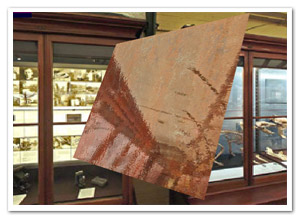
envmapSince Flash Player 10 introduced native 3D functionality, the world of “postcard 3D” rejoiced as doing simple 3D tasks became much easier… Just as long as it did not involve z-sorting or shading effects.

The z-sorting has been tackled before, and here’s an attempt at implementing the second idea. Partly out of boredom and partly because I needed it as a first step towards another experiment, I created a simple cubic environment map effect, just in case you’d want your surfaces to be reflective. The filter itself is using Pixel Bender – what a surprise!

There’s some other possibilities I’m thinking of (phong shading for example), but it’d be good to know if there actually is any interest in stuff like this. I don’t want to be wasting my time either ;)

Cubic Environment Maps

Environment mapping is essentially a fake but relatively fast way to give the illusion of surface reflection. There are two common approaches: spherical and cubic mapping. The first maps the environment texture surrounding the scene on a sphere before mapping it onto the surface, the latter does it using a cube. Spherical mapping is usually faster and easier to use (it only requires 1 or 2 textures instead of one for every face of the cube), but sadly it doesn’t look very natural on a flat surface. Cubic mapping, on the other hand, looks better and is more commonly used these days. For more information, check this article on wikipedia.

So what do you need? Basically, you need to find a cube map and divide it up into 6 seperate images as illustrated below. You can assign these images to the EnvMapFilter class constructor.

cubemapWhen changing the surface position, scale or rotation, be sure to call the update method and reassign the filter to the target DisplayObject. All this is shown in the source.

Normal maps

It’s not a requirement, but if you want, you can assign a normal map to the filter. For every pixel, normal maps indicate the slope of the surface at any point and cause the reflections to be distorted. This gives the surface the appearance of having relief. A quick search on google or some texture libraries should yield plenty of them :)

Blabla yeah whatever!

Okay okay, enough chatter.

  • Demo – just follow the instructions (FP10.0.22 required, so you might get an upgrade request)
  • Source

Enjoy!

Leave a comment (7 comments)

© 2009 Der Schmale – David Lenaerts’s blog. All Rights Reserved.

This blog is powered by Wordpress and Magatheme by Bryan Helmig.